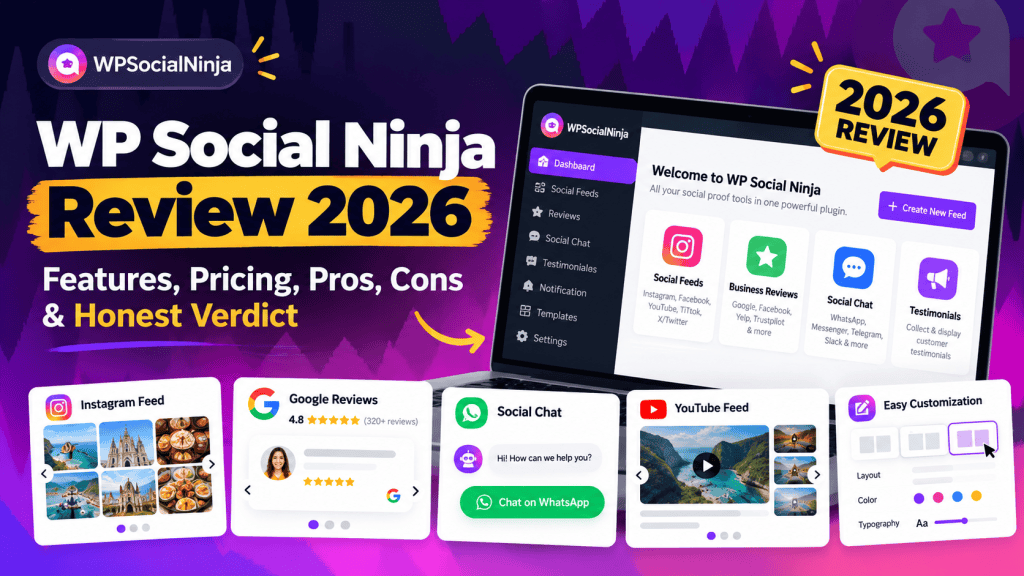
If you run a WordPress website, you have probably noticed how quickly social proof can turn into a plugin-management problem.
You need one plugin for Instagram feeds, another for Google Reviews, another for WhatsApp chat, another for testimonials, and perhaps another for social notifications.
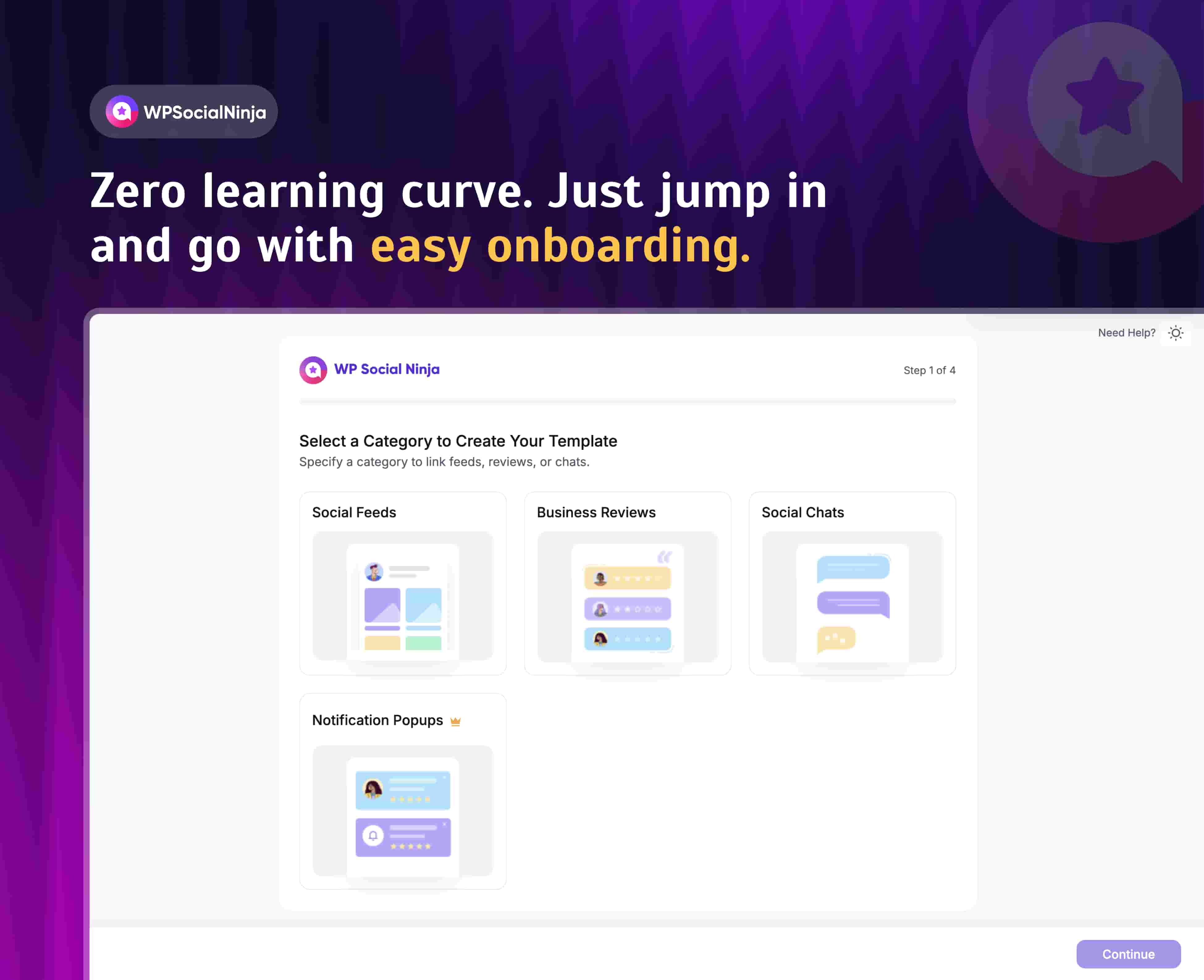
WP Social Ninja takes a different approach.
Instead of focusing on just one type of integration, it brings social feeds, customer reviews, chat widgets, testimonials and other social-proof features into a single WordPress plugin.
But having a long feature list doesn’t automatically make a plugin good.
The more important questions are:
Is WP Social Ninja actually easy to use?
Does it support the platforms you need?
Is the free version useful?
Is Pro worth paying for?
Will putting all these features into one plugin hurt website performance?
And perhaps the biggest question:
Should you use WP Social Ninja instead of a specialist plugin such as Smash Balloon?
I looked at the current product documentation, WordPress.org listing, changelog, pricing, available features and public user feedback to answer those questions.
Here’s what you need to know about WP Social Ninja in 2026.
WP Social Ninja: Quick Verdict
WP Social Ninja is a feature-rich WordPress plugin for displaying social feeds, customer reviews and chat widgets without installing a separate plugin for every platform.
Its biggest strength is breadth.
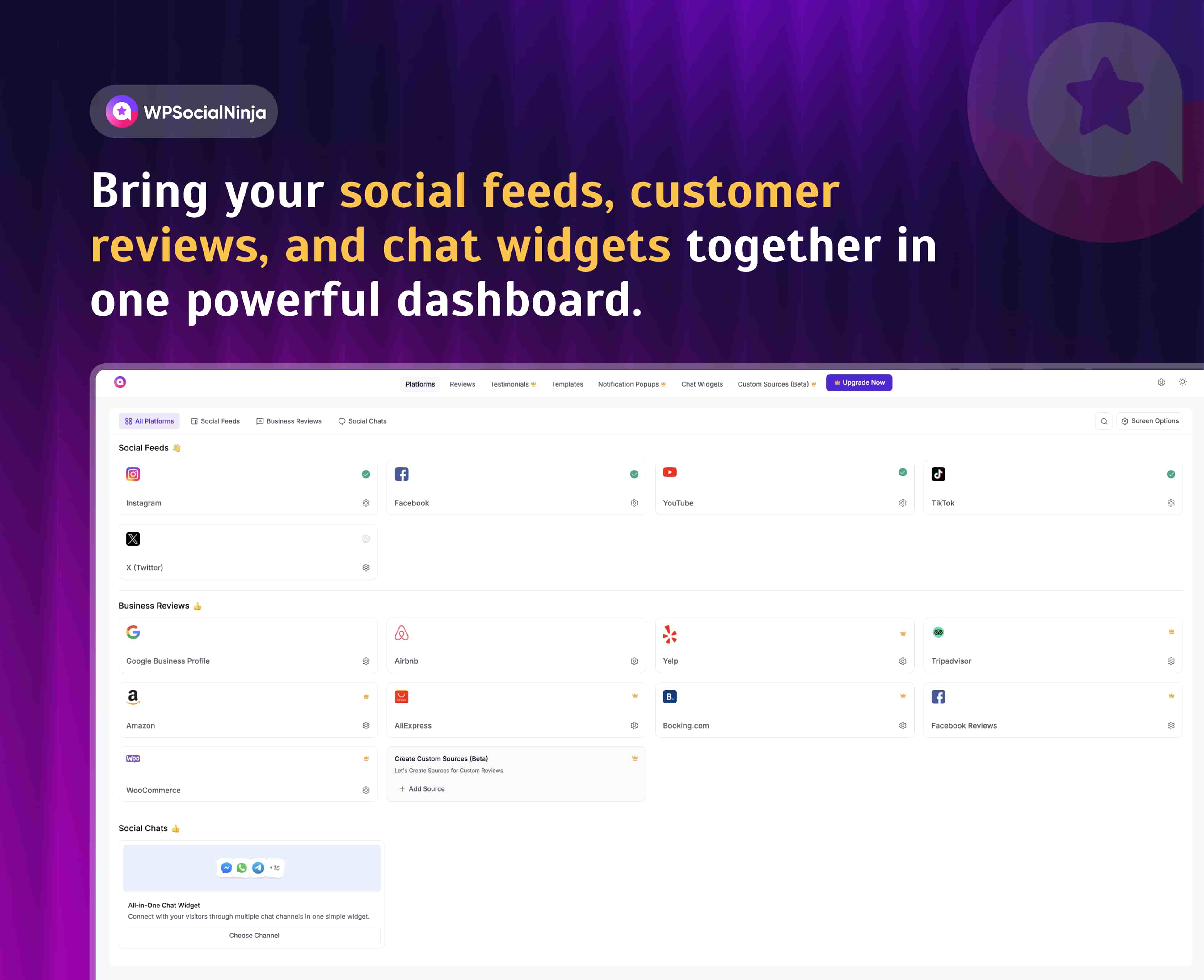
The plugin currently covers social feeds from Instagram, Facebook, YouTube, TikTok and X/Twitter, while its review system supports platforms including Google Business Profile, Facebook, Yelp, Airbnb, WooCommerce, Trustpilot, Booking.com, AliExpress and Tripadvisor.
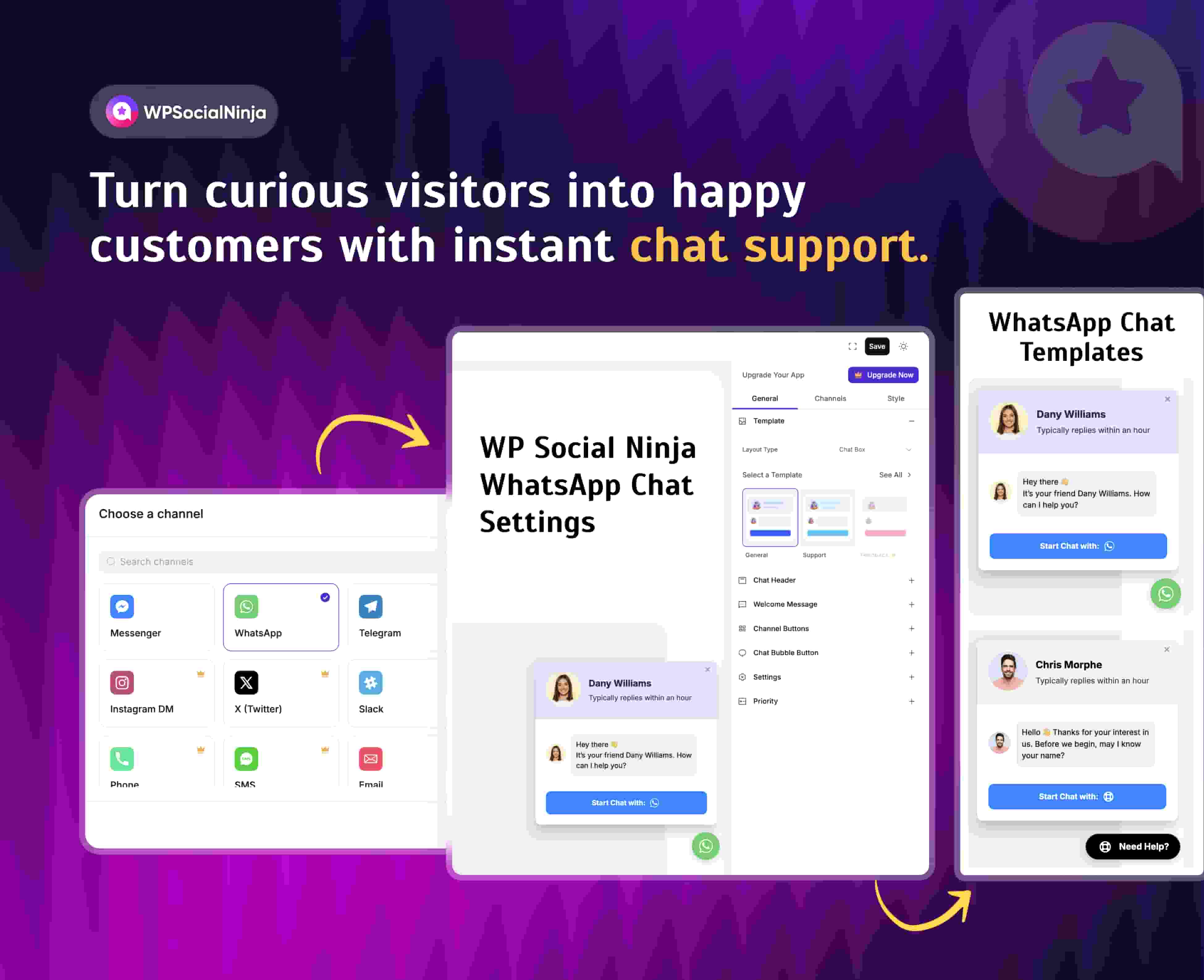
It also includes social chat functionality for more than 15 chat channels, depending on the current configuration and supported integrations.
The current WordPress.org listing shows 30,000+ active installations, version 4.4.0, and a 4.8/5 rating from 71 reviews.
My overall take
Best for: Businesses, agencies and WordPress site owners that want social feeds, reviews and customer communication in one ecosystem.
Less compelling for: Someone who only needs one simple Instagram feed or one basic Google Reviews widget.
What Is WP Social Ninja?
WP Social Ninja is a WordPress plugin designed to bring social media content and customer interactions onto your website.
Its core functionality is divided into three major areas:
1. Social Feeds
Display content from platforms such as:
- YouTube
- TikTok
- X/Twitter
The plugin supports different feed layouts, filtering, multiple accounts and interactive elements such as lightboxes and follow buttons.
2. Business Reviews
WP Social Ninja can pull reviews from multiple platforms, including:
- Google Business Profile
- Yelp
- Airbnb
- Trustpilot
- Booking.com
- Tripadvisor
- WooCommerce
- AliExpress
- Fluent Forms
- Custom sources
Availability varies by platform and license/features.
3. Social Chat
You can also add chat widgets that allow website visitors to contact businesses through supported messaging platforms.
The official feature page currently advertises 15+ chat widgets.
So calling WP Social Ninja simply a social media feed plugin doesn’t really describe the product anymore.
It’s closer to an all-in-one social proof and engagement plugin for WordPress.
Who Makes WP Social Ninja?
WP Social Ninja is developed by the team behind WPManageNinja, a WordPress plugin company known for products in areas such as forms, marketing automation and WooCommerce.
The plugin has been around for several years and has developed a sizeable WordPress user base.
As of the current WordPress.org listing, WP Social Ninja has:
- 30,000+ active installations
- Version 4.4.0
- WordPress 6.2 or higher
- PHP 7.4 or higher
- 4.8/5 average rating
- 71 published reviews
The current version was released on August 26, 2026.
That doesn’t automatically mean the plugin is right for everyone, but it does indicate that this is an established WordPress product rather than a new plugin with little adoption.
What Can WP Social Ninja Do?
Before looking at individual features, it’s useful to understand the overall product.
| Category | What WP Social Ninja provides |
|---|---|
| Social feeds | Instagram, Facebook, YouTube, TikTok, X/Twitter |
| Business reviews | Google, Facebook, Yelp, Airbnb, Trustpilot and others |
| Social chat | 15+ chat widgets |
| Testimonials | Custom testimonial functionality |
| Review management | Filtering, moderation and review controls |
| Review collection | QR codes and custom review forms |
| AI | AI review summarizer |
| Customization | Templates, layouts, colors and styling |
| WooCommerce | Product review integration |
| GDPR | Privacy-related functionality |
| Shortcodes | Supported |
The official feature documentation currently advertises 4+ social-feed integrations, 9+ review platforms and 15+ chat widgets, alongside features such as AI review summaries, QR-code review collection, custom reviews and automatic synchronization.
That breadth is the central reason to consider WP Social Ninja.
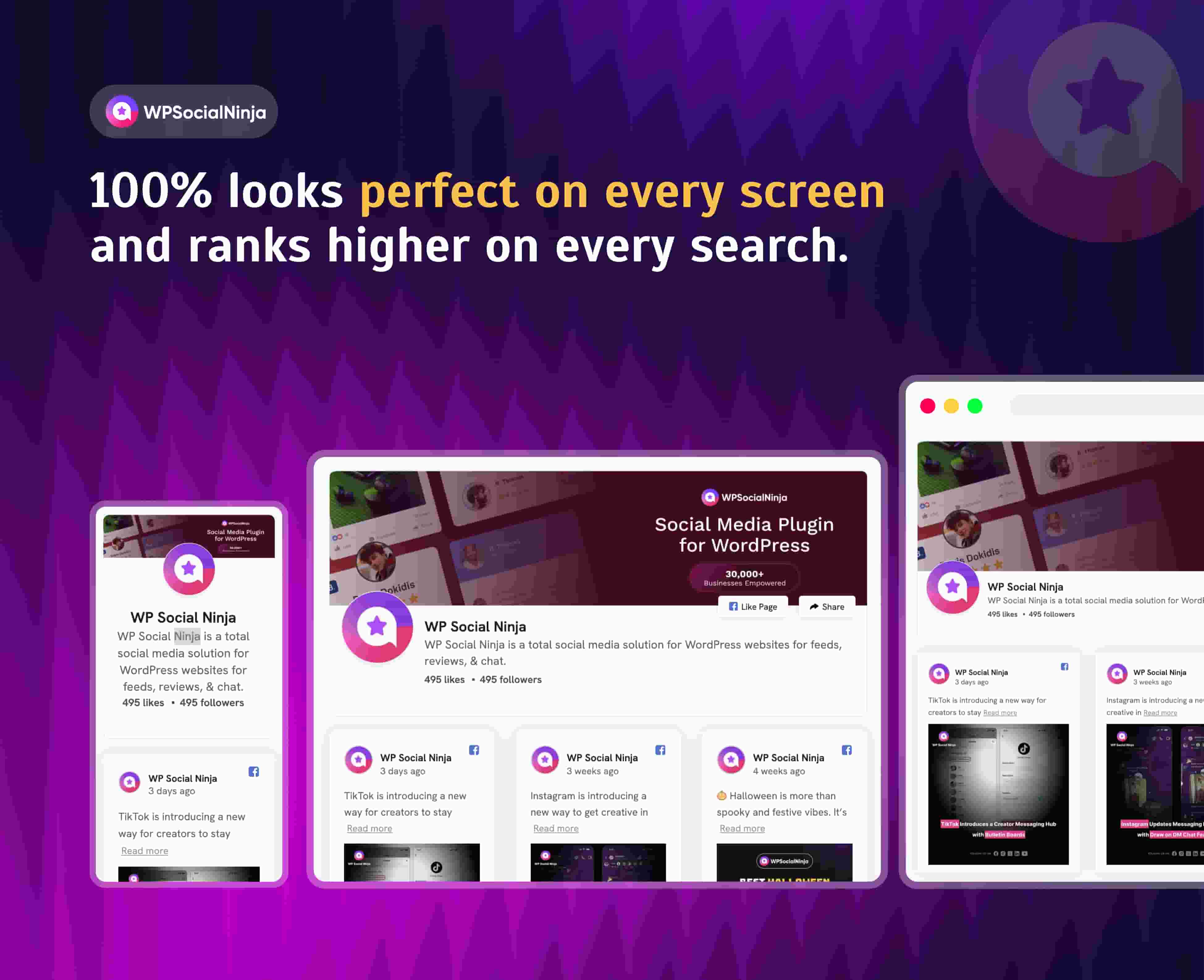
WP Social Ninja Social Feeds
Let’s start with the feature most people probably associate with the plugin.
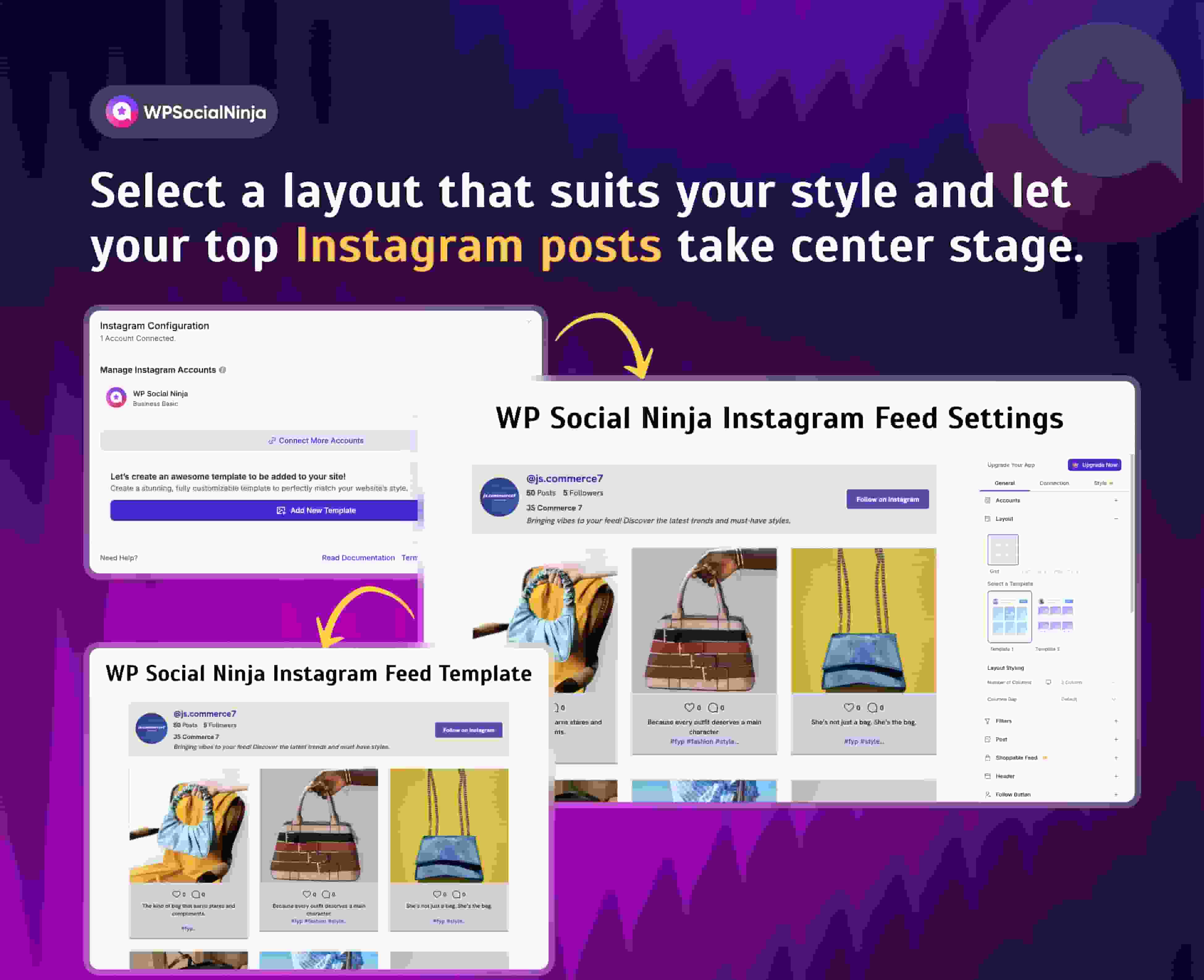
Instagram Feed
WP Social Ninja can display Instagram content directly on WordPress websites.
The available functionality includes:
- Multiple accounts
- Hashtag/keyword filtering
- Different layouts
- Grid
- Masonry
- Carousel
- Lightbox
- Follow buttons
- Automatic synchronization
The plugin’s documentation specifically lists Instagram among its supported social feeds and describes filtering, multiple accounts, layouts and interactive feed features.
For a website that relies heavily on Instagram content, this can be useful because you don’t have to manually update the website every time new social content is published.
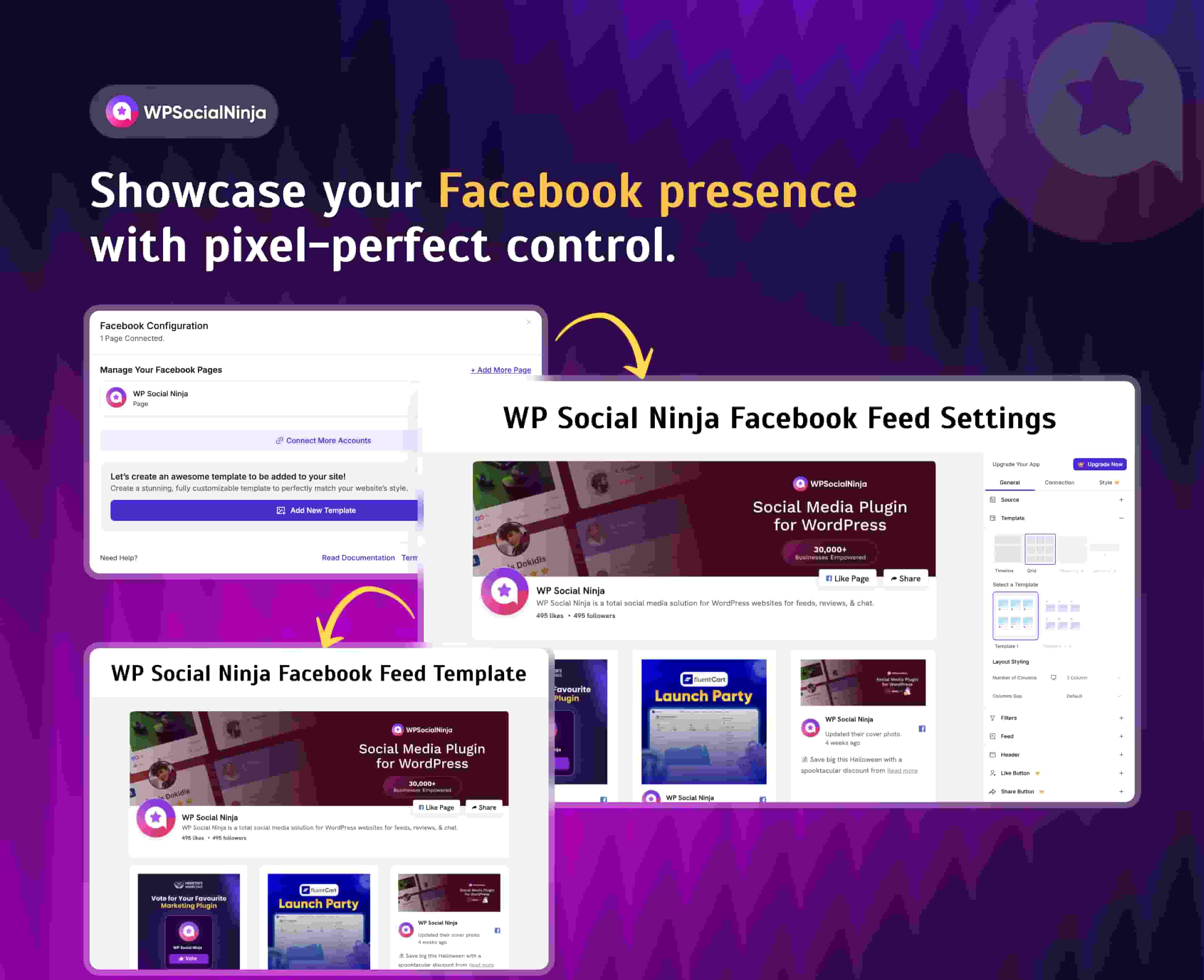
Facebook Feed
Facebook support goes beyond simply showing a timeline.
According to the current documentation, WP Social Ninja can display different Facebook content types, including:
- Timeline
- Videos
- Photos
- Events
- Albums
You can then customize the way that content appears on your website.
That gives businesses more flexibility than simply embedding a standard Facebook widget.
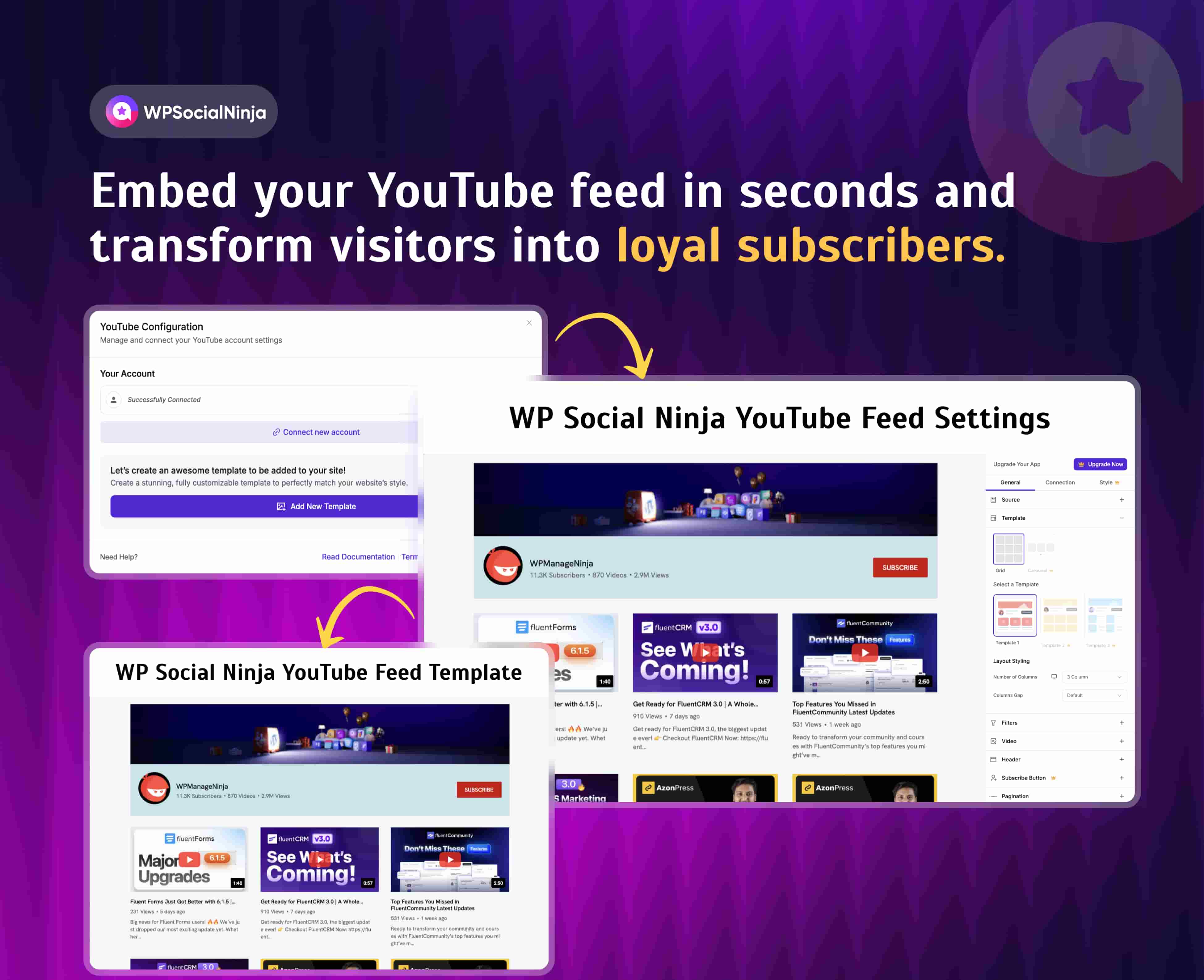
YouTube Feed
YouTube is another supported social-feed source.
The current documentation lists options including:
- Channels
- Playlists
- Search
- Specific videos
That means you can use the plugin for more than simply displaying your latest uploaded video.
For content-heavy brands, this can be particularly useful.
A blog could have a YouTube section.
A product page could feature a product playlist.
An event website could display videos from a particular channel.
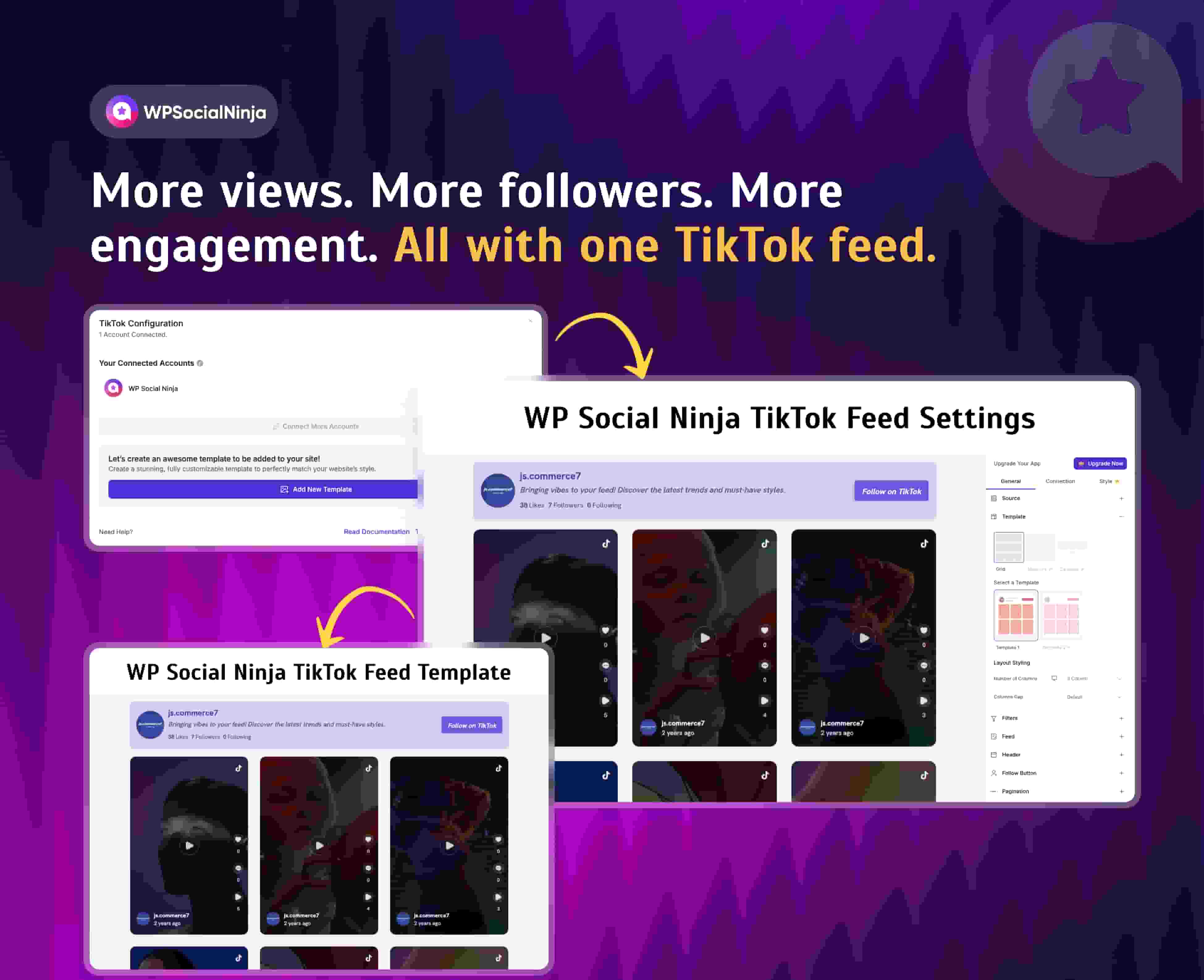
TikTok Feed
TikTok is also supported, with multiple template options available in the current product.
The August 2026 release added additional TikTok templates, including a Spotlight Hero layout.
That’s a good example of why checking the current version matters when reviewing WordPress plugins.
Older WP Social Ninja reviews won’t necessarily describe the current interface or feature set accurately.
X/Twitter Feed
WP Social Ninja also supports X/Twitter feeds.
However, this is an area where I would recommend checking the current connection requirements before implementation because third-party social-platform APIs and authentication requirements can change independently of the WordPress plugin.
That is an important consideration with virtually every social-feed plugin:
The plugin isn’t the only dependency.
The underlying social platform can change its API, permissions, authentication or pricing.
WP Social Ninja Business Reviews
This is arguably one of the most useful parts of the plugin for businesses.
Instead of using one plugin for Google Reviews and another for Facebook or Trustpilot reviews, WP Social Ninja attempts to bring them into a single review system.
Supported sources currently include Google Business Profile, Facebook, Yelp, Airbnb, WooCommerce, Trustpilot, Booking.com, AliExpress and Tripadvisor, among others.
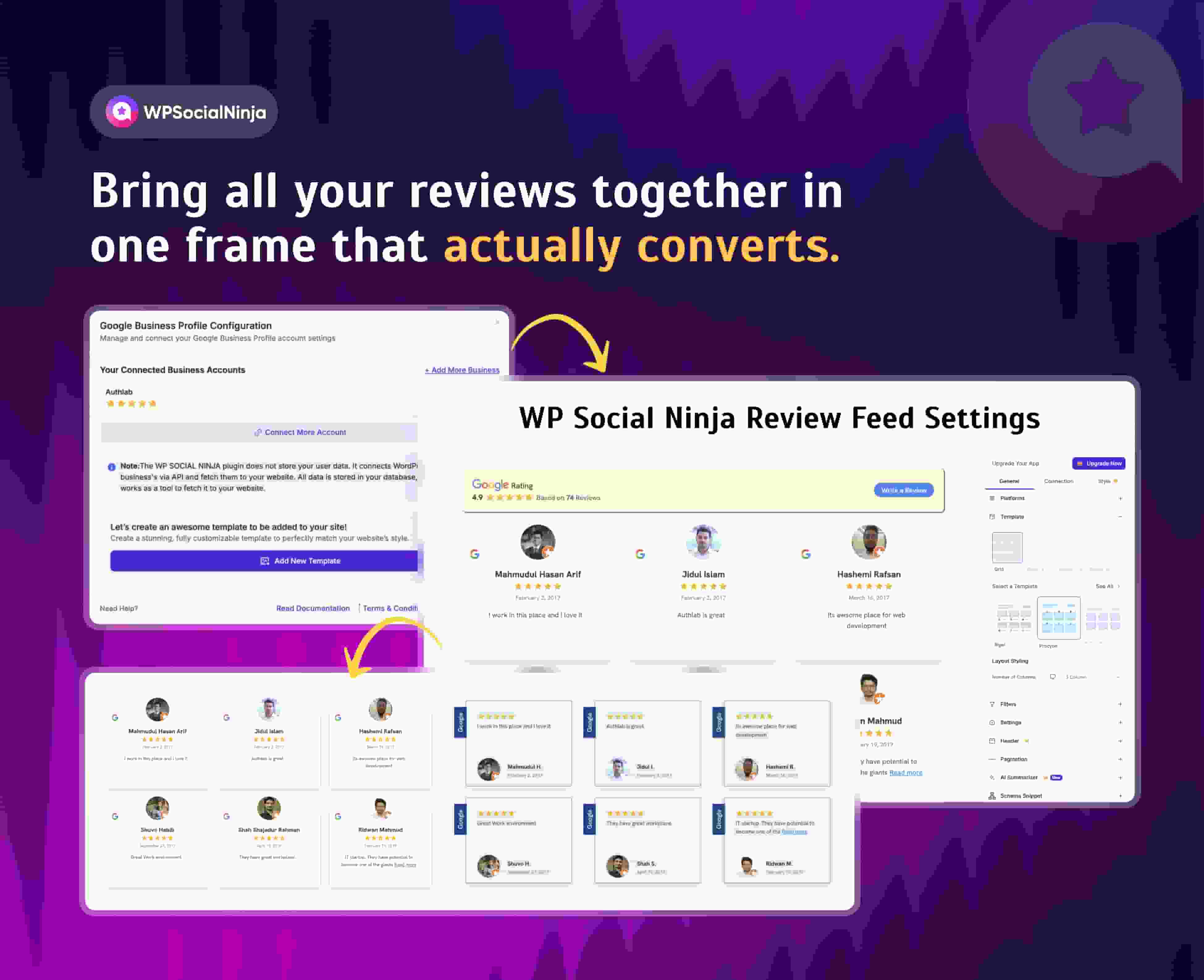
Google Reviews With WP Social Ninja
Google Reviews is available in the plugin’s free functionality.
You can connect your Google Business Profile and display customer reviews on your WordPress website.
The review display can be customized with different templates and layouts.
You can also control things such as:
- Number of reviews
- Ordering
- Filtering
- Review visibility
- Layout
- Pagination
- Reviewer information
- Images
- External links
The plugin documentation specifically mentions automatic and manual review synchronization, filtering, review exclusion, pagination, GDPR-related functionality and schema support.
One useful feature: multiple Google Business Profiles
One WordPress.org reviewer specifically reported successfully displaying Google Reviews from multiple Google Business Profiles. That’s useful for multi-location businesses.
However, I would still recommend testing the exact configuration you need before purchasing.
Review Filtering and Moderation
This is where WP Social Ninja becomes more than a simple review-display widget.
You can control which reviews appear instead of blindly showing everything that gets pulled from an external platform.
The current plugin includes review management functionality such as:
- Publish
- Unpublish
- Spam
- Manual approval
- Rating-based rules
- Keyword-based rules
- Bulk actions
These capabilities were expanded significantly in version 4.1.0.
This can be useful when you have hundreds or thousands of reviews and want to curate what appears on specific pages.
For example:
Homepage → Best customer reviews
Product page → Product-specific reviews
Service page → Reviews mentioning the service
Location page → Reviews for that location
That is much more useful than putting the same generic review widget on every page.
AI Review Summarizer
One of the more interesting newer features is the AI Review Summarizer.
The idea is straightforward:
Instead of asking visitors to read dozens of individual reviews, AI can summarize the recurring themes and sentiments across those reviews.
This is potentially useful when a business has accumulated a large amount of customer feedback.
However, there is an important distinction between an AI-generated summary and the underlying reviews.
The summary should supplement the original reviews, not replace them.
If you use this feature, I’d recommend keeping the original reviews easily accessible so visitors can verify what customers actually said.
Review Categories
The latest 4.4.0 release added reusable review categories, including bulk assignment/removal, category management and category counts.
This opens up another interesting possibility.
You can potentially organize reviews around themes rather than simply sorting them chronologically.
For example:
- Customer service
- Product quality
- Pricing
- Delivery
- Support
- Experience
That can become especially useful for larger review libraries.
Review Collection
WP Social Ninja isn’t only about displaying reviews.
The plugin also includes functionality for collecting reviews.
Its feature set includes:
- QR-code review collection
- Custom review forms
- Custom “Write a Review” buttons
- Custom review sources
The current changelog also shows that the plugin added native review forms for WooCommerce, FluentCart and custom sources in version 4.2.0.
This means the product is gradually moving beyond:
“Show me my existing reviews.”
toward:
“Help me collect, organize and display customer feedback.”
WP Social Ninja Social Chat
Another major component is social chat.
The plugin’s current feature page advertises more than 15 chat widgets.
Supported options include popular communication platforms such as:
- Messenger
- Telegram
- Slack
The exact available channels can change, so check the current documentation before implementing a specific channel.
WhatsApp Chat
For many businesses, WhatsApp is probably the most practical chat integration.
You can add a WhatsApp contact option to your website and customize elements such as:
- Chatbox
- Welcome message
- Bubble text
- Icon
- Profile picture
- Header
- Styling
This is especially useful for businesses where visitors are more likely to start a conversation than fill out a traditional contact form.
Templates and Customization
A common weakness of WordPress social plugins is that the content works but the design looks like a plugin.
WP Social Ninja tries to address this through templates and customization options.
The current product supports different layouts for social feeds and review feeds, while recent releases have added additional Instagram, Facebook, TikTok and YouTube templates.
For reviews, available layout concepts include:
- Grid
- Slider
- Masonry
The official documentation also describes controls for review count, ordering, filtering and presentation.
The important thing is to customize the feed to match your website rather than simply accepting the default design.
Does WP Social Ninja Work With WooCommerce?
Yes.
WooCommerce is supported as a review source, and Pro functionality allows businesses to collect and display WooCommerce product reviews.
The 4.2.0 release also added a more native review-form workflow for WooCommerce, including control over form design and review display.
For an ecommerce business, this is potentially more valuable than simply embedding Google Reviews.
You can combine:
External reputation + product reviews + customer feedback
within the same WordPress ecosystem.
WP Social Ninja and SEO
This deserves some clarification.
WP Social Ninja’s WordPress.org listing describes its review functionality as SEO-optimized and includes schema-related functionality.
The changelog also says version 4.1.0 introduced advanced product review schema.
But don’t interpret this as:
Install WP Social Ninja → automatically get Google review stars in organic search.
That’s not how Google’s review rich-result guidelines work.
Google says self-serving reviews for businesses controlled by the entity are not eligible for review rich results in the situations covered by its guidelines. Google also warns against aggregating reviews or ratings from other websites in structured data.
So the SEO value here should be viewed more realistically:
- Better presentation of customer feedback
- Useful review content on pages
- Improved social proof
- Better user experience
- Potentially useful structured data where legitimately applicable
But don’t purchase the plugin solely because you expect review stars in Google’s organic listings.
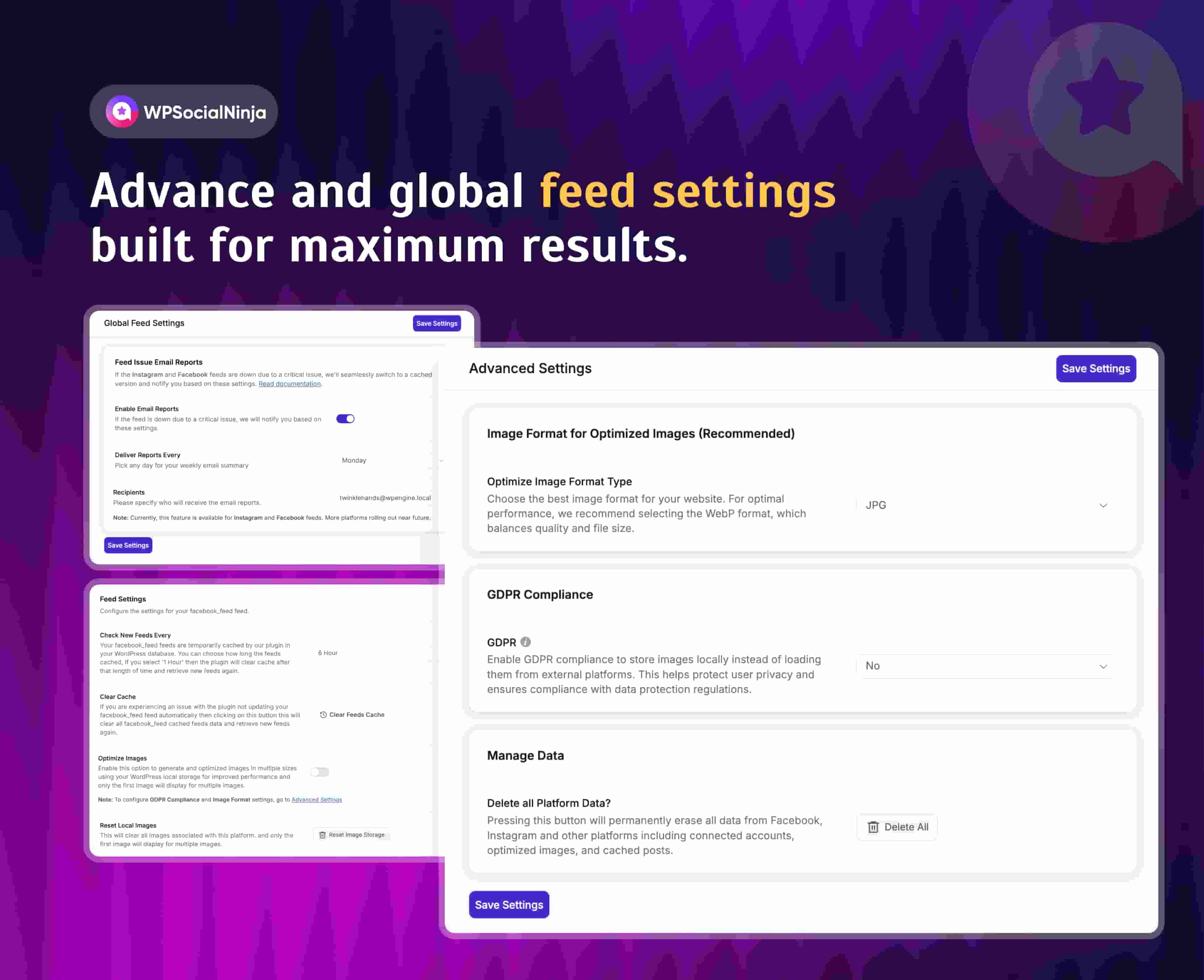
Does WP Social Ninja Slow Down WordPress?
This is one question I would not answer with a simple “yes” or “no.”
A plugin that connects multiple external platforms and renders dynamic feeds naturally has more work to do than a static HTML section.
But the actual performance impact depends on:
- Number of feeds
- Number of reviews
- Number of images
- Template used
- Caching
- Hosting
- CDN
- Other plugins
- Page builder
- JavaScript
- Number of widgets on the page
The good news is that performance has been part of the ongoing development work.
For example, recent releases include database-query optimization, image handling improvements and fixes designed to reduce layout shift.
Version 4.2.2 specifically included a fix to add explicit dimensions to reviewer avatars and notification-popup platform icons, reducing layout shift on review template pages.
Still, your own website should be tested.
I’d measure:
- LCP
- INP
- CLS
- Total page weight
- JavaScript execution
- Network requests
- Mobile PageSpeed
before and after adding several feeds.
That gives you a meaningful answer instead of relying on generic claims.
WP Social Ninja Pricing in 2026
The current official pricing page lists both annual and lifetime licenses.
Annual plans
| Plan | Price | Websites | Updates & support |
|---|---|---|---|
| Single Site | $71/year | 1 | 1 year |
| Agency | $199/year | 25 | 1 year |
| Unlimited | $319/year | Unlimited | 1 year |
Lifetime plans
| Plan | Price | Websites |
|---|---|---|
| Single Site | $279 | 1 |
| Agency | $479 | 25 |
| Unlimited | $599 | Unlimited |
The current official pricing page says all plans include all platforms, with annual plans providing one year of plugin updates and priority support and lifetime plans providing lifetime updates and priority support.
The pricing page also currently shows discounted prices against higher reference prices, so I’d verify the live price before publishing or purchasing.
Is WP Social Ninja Free?
Yes.
WP Social Ninja has a free version available through WordPress.org.
The free version includes useful functionality rather than being merely a locked demo.
For example, Google Reviews and Airbnb Reviews are currently listed under the free review functionality, while features such as WooCommerce Reviews, Facebook Reviews and several other review sources are listed as Pro.
That makes the free version worth trying if your primary requirement is relatively simple.
WP Social Ninja Free vs Pro
| Feature | Free | Pro |
|---|---|---|
| Google Reviews | ✓ | ✓ |
| Airbnb Reviews | ✓ | ✓ |
| Social feeds | ✓ / platform limits | ✓ |
| Advanced review sources | Limited | ✓ |
| WooCommerce reviews | — | ✓ |
| Facebook reviews | — | ✓ |
| Review moderation | Limited | Advanced |
| AI review summarizer | Limited/availability varies | ✓ |
| Advanced templates | Limited | ✓ |
| Review categories | ✓ / availability varies | Advanced |
| Review collection | Limited | Advanced |
| QR review collection | — | ✓ |
| Advanced customization | Limited | ✓ |
Feature availability can change between versions, so this table should be checked against the current plugin documentation before publication.
WP Social Ninja vs Smash Balloon
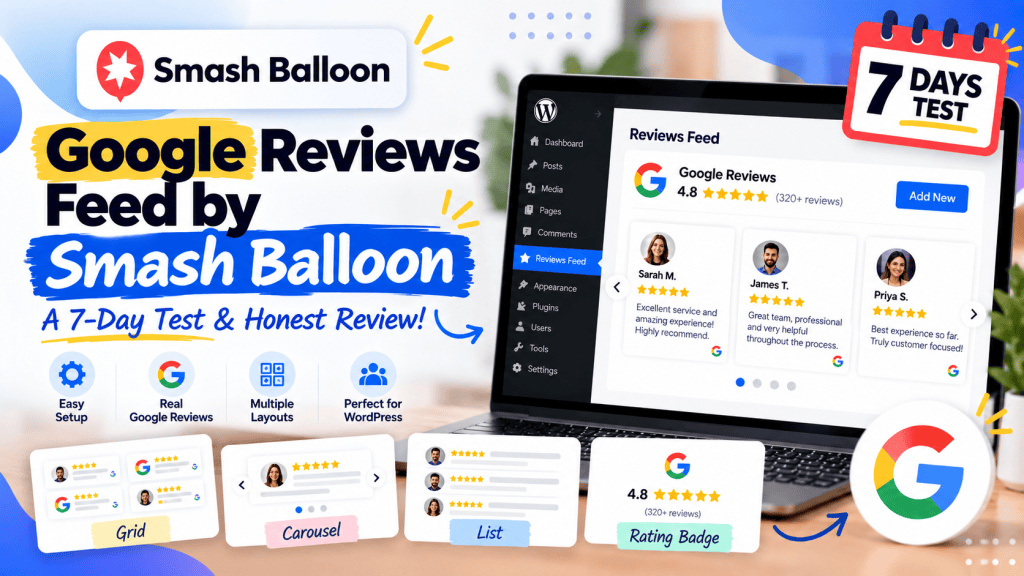
This is probably one of the most important comparisons for someone researching WP Social Ninja or Reviews Feed by Smash Balloon
Both plugins are established WordPress products, but their positioning is slightly different.
| Factor | WP Social Ninja | Reviews Feed by Smash Balloon |
|---|---|---|
| Social feeds | Strong | Strong |
| Business reviews | Strong | Strong |
| Social chat | Yes | Not its core focus |
| Google Reviews | Yes | Yes |
| Multiple review sources | Yes | Yes |
| AI review summarizer | Yes | Not a core product feature |
| Review moderation | Yes | Yes |
| WordPress integration | Native | Native |
| Lifetime license | Yes | Different licensing model |
| Best suited to | All-in-one social proof | Specialized social feeds/reviews |
Choose WP Social Ninja if…
You want to consolidate several functions:
Social feeds + reviews + chat + testimonials
into one WordPress ecosystem.
Choose Smash Balloon if…
You want a highly established specialist ecosystem around social feeds and reviews and prefer a product family focused heavily on social-media integrations.
Choose a specialist plugin if…
You only need one thing.
For example:
“I only need a lightweight Google Reviews widget.”
In that case, a dedicated Google Reviews plugin may be simpler.
WP Social Ninja Pros and Cons
Pros
1. Very broad feature set
Social feeds, reviews and chat are available under one plugin.
2. Multiple review platforms
Google isn’t the only supported source.
3. Strong customization
Templates and layout controls give you more control than a basic embed.
4. Review moderation
The newer moderation system is particularly useful for larger review collections.
5. AI review summarization
This is an interesting addition for businesses with large review libraries.
6. Lifetime licensing
The lifetime plans can make the economics attractive for long-term WordPress users.
7. Active development
The plugin received multiple feature, performance and security updates during 2026.
Cons
1. The feature set can feel overwhelming
If you only want one feed, an all-in-one plugin may actually be more functionality than you need.
2. External platform dependencies
Social-feed functionality depends partly on the APIs and authentication systems of third-party platforms.
3. Performance needs to be tested
Don’t assume that a large number of feeds will have zero impact on your website.
4. Pro is where many advanced features live
The free version is useful, but businesses wanting the full ecosystem will likely need Pro.
5. More functionality means more settings
That can be a benefit for advanced users but a disadvantage for someone looking for a minimal interface.
Who Should Use WP Social Ninja?
Local businesses
If you want Google Reviews, social feeds and WhatsApp contact options on the same website, WP Social Ninja is worth considering.
Ecommerce stores
WooCommerce review functionality makes it relevant to online stores.
Agencies
The 25-site Agency plan and Unlimited plan are particularly relevant for agencies managing multiple WordPress websites.
Hospitality businesses
Hotels, restaurants and travel businesses can benefit from combining reviews, social content and direct communication.
Brands with strong social media presence
If Instagram, TikTok, YouTube and Facebook are important parts of your marketing strategy, displaying that content on your website can help connect social activity with your owned web presence.
Who Shouldn’t Use WP Social Ninja?
I’d think twice if:
You only need one simple Google Reviews widget
A dedicated plugin may be simpler.
You only need an Instagram feed
You may not need the rest of the ecosystem.
You don’t want third-party integrations
WP Social Ninja’s value comes partly from connecting external platforms.
Your website is already plugin-heavy
Before adding another large plugin, test whether consolidating existing plugins actually improves your setup.
What Makes WP Social Ninja Different?
The biggest difference isn’t any individual feature.
There are plenty of plugins that can:
- Display Instagram feeds
- Show Google Reviews
- Add WhatsApp buttons
- Display testimonials
The interesting proposition is combining all of them.
Instead of this:
Instagram plugin
Google Reviews plugin
WhatsApp plugin
Testimonial plugin
Notification plugin
you can potentially use:
WP Social Ninja
The benefit isn’t necessarily that WP Social Ninja has the absolute deepest implementation of every individual feature.
The benefit is consolidation.
That distinction is important.
WP Social Ninja Review: My Verdict
According to my review methodology, WP Social Ninja has grown beyond the traditional definition of a WordPress social-feed plugin.
The current version combines:
Social Feeds + Business Reviews + Social Chat + Testimonials + Review Collection + Social Proof Features
and the product is still actively evolving.
The latest 4.4.0 release added review visitor filtering, reusable review categories, video testimonials, new Instagram/Facebook/TikTok templates and additional YouTube functionality.
That development pace is encouraging.
The current WordPress.org listing also shows a 4.8/5 rating from 71 reviews and 30,000+ active installations, although public ratings should always be treated as one signal rather than definitive proof of product quality.
My recommendation
For a business that wants one plugin for social feeds, reviews and chat: Yes, WP Social Ninja is worth considering.
For an agency managing multiple WordPress sites: The Agency or Unlimited licensing makes the product particularly interesting.
For someone who only needs Google Reviews: Compare it with specialist Google Reviews plugins before buying.
For someone who cares about performance: Test your actual pages rather than relying on generic performance claims.
And that’s ultimately the biggest thing I’d take away from this review:
WP Social Ninja’s biggest selling point isn’t that it does one thing exceptionally differently. It’s that it can replace several separate WordPress integrations with one broader platform.
Whether that’s an advantage depends entirely on how much of the platform you actually need.
Frequently Asked Questions
What is WP Social Ninja?
WP Social Ninja is a WordPress plugin that lets websites display social feeds, business reviews and social chat widg
Is WP Social Ninja free?
Yes. A free version is available through WordPress.org. Some advanced platforms and features require Pro.
How much does WP Social Ninja cost?
The current official pricing starts at $71/year for one website, with Agency at $199/year and Unlimited at $319/year. Lifetime plans currently start at $279.
Does WP Social Ninja support Google Reviews?
Yes. Google Business Profile reviews are supported, including in the free version.
Does WP Social Ninja support Instagram?
Yes. Instagram is one of the supported social feed platforms, with multiple layouts, filtering and other customization options.
Does WP Social Ninja support WhatsApp?
Yes. WhatsApp is among the supported social-chat integrations.
Does WP Social Ninja support WooCommerce reviews?
Yes. WooCommerce reviews are available as a Pro feature.
Does WP Social Ninja have an AI review summarizer?
Yes. The current feature set includes an AI review summarizer.
Is WP Social Ninja better than Smash Balloon?
Neither is universally better. WP Social Ninja’s strongest argument is its combination of social feeds, reviews and chat in one plugin. Smash Balloon has a strong specialist ecosystem around social feeds and reviews. Your choice should depend on which functionality you actually need.
Does WP Social Ninja improve SEO?
It can help you display useful review and social content on your website, and its review functionality includes schema-related features. But you should not expect a review widget to automatically generate Google review stars in organic search. Google’s guidelines place restrictions on self-serving review rich results. Google for Developers
Does WP Social Ninja slow down WordPress?
It can have a performance impact depending on how many feeds, reviews, images and widgets you use. The only reliable answer for a particular website is to measure performance before and after implementation.
Final Scorecard
For the current product positioning, rather than pretending to have measured performance that hasn’t been measured yet:
| Category | Assessment |
|---|---|
| Feature breadth | ⭐⭐⭐⭐⭐ |
| Social feed support | ⭐⭐⭐⭐⭐ |
| Review functionality | ⭐⭐⭐⭐⭐ |
| Chat functionality | ⭐⭐⭐⭐⭐ |
| Customization | ⭐⭐⭐⭐½ |
| WordPress integration | ⭐⭐⭐⭐⭐ |
| Pricing flexibility | ⭐⭐⭐⭐½ |
| Ease of use | ⭐⭐⭐⭐ |
| Performance | Needs site-specific testing |
| Overall value | ⭐⭐⭐⭐½ |
Overall verdict: WP Social Ninja is one of the more compelling all-in-one social-proof plugins for WordPress in 2026, particularly when you need more than one type of social integration.
The one thing I would add before publishing
To make this article genuinely EEAT-level rather than just well-researched, add your own test evidence to five places:
- Installation screenshot
- Social feed connection screenshot
- Google Reviews setup screenshot
- Review moderation/AI summarizer screenshot
- Before-vs-after PageSpeed/Lighthouse results
Then we can legitimately change the title to:
WP Social Ninja Review 2026: A 7-Day Hands-On Test & Honest Verdict
That would align much more closely with Google’s own review guidance, which specifically recommends original research, first-hand evidence, visuals and quantitative measurements in product reviews. Google for Developers
And importantly, don’t add fake “I tested X and got Y” statements just to make the article look first-hand. Google’s people-first guidance explicitly emphasizes transparency about how content was created and tested. Google for Developers






Leave a comment