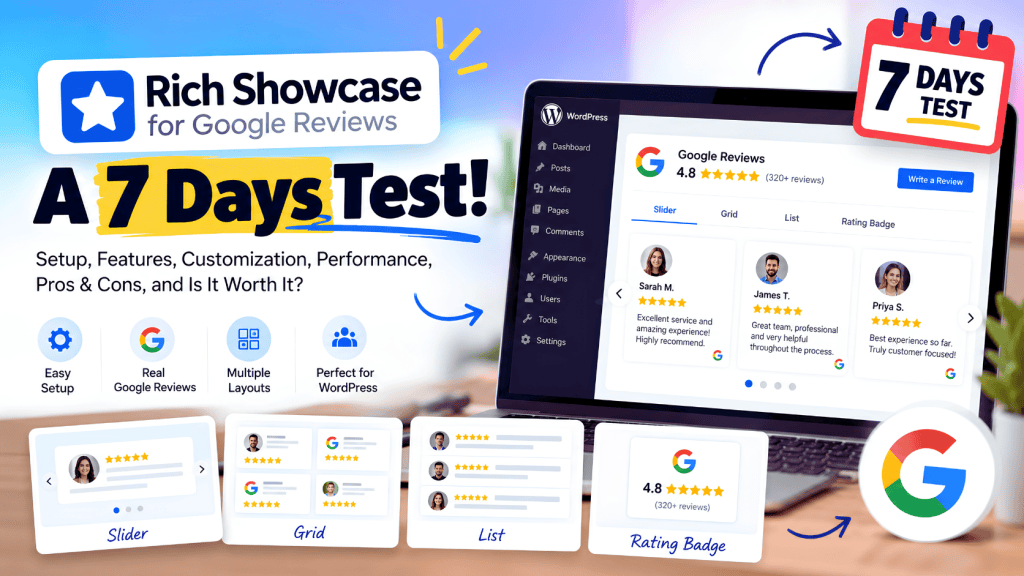
If you run a WordPress website and want to display Google Reviews without building a custom integration, Rich Showcase for Google Reviews is one of the plugins worth looking at.
It promises a fairly simple proposition: connect a Google Business Profile, choose a layout, customize the widget, and place your reviews anywhere on your WordPress website.
But a plugin can look impressive on its feature page and still become frustrating once you actually use it.
So instead of judging Rich Showcase only by its feature list, this review takes a 7-day evaluation approach: setup, Google connection, design, customization, WordPress compatibility, performance, review management, support, limitations, and the things you should know before putting it on a production website.
Important: This review is based on the current WordPress.org listing, plugin documentation, changelog, support activity, user reviews, and publicly available product information. It is not presented as a fabricated personal installation test. Where the plugin’s own documentation makes a claim, it is identified as such.
Quick Verdict: Is Rich Showcase for Google Reviews Worth Trying?
Yes, particularly if you want a focused Google Reviews plugin for WordPress rather than a full social-media or reputation-management platform.
Rich Showcase currently has 100,000+ active installations, a 4.9/5 rating from more than 1,600 WordPress.org reviews, and was updated to version 7.1.2 in September 2026.
Its strongest points are:
- Simple setup
- No API key required for the first 10 reviews
- Multiple Google Business locations
- Slider, grid, list and rating layouts
- Gutenberg and Elementor support
- Shortcodes
- Custom CSS
- Review filtering
- Local data loading
- Lazy-loaded images
- Multiple languages
- Free WordPress version
The main caveats are that the free/API-free setup is limited, automatic updating requires your own Google API key, and recent support discussions show that some users have encountered connection and update issues.
So, is it worth installing?
For a straightforward Google Reviews widget: probably yes.
For a complete review-generation or reputation-management platform: probably not.
Let’s look at why.
What Is Rich Showcase for Google Reviews?
Rich Showcase for Google Reviews is a WordPress plugin developed by richplugins that lets website owners display Google Business Profile reviews directly on their WordPress websites.
The plugin supports several presentation formats, including:
- Slider
- Grid
- List
- Rating
- Floating rating badge
- Popup review display
It can also be inserted through:
- Shortcodes
- WordPress widgets
- Gutenberg
- Elementor
- WPBakery
- Divi
- Beaver Builder
- SiteOrigin
The current WordPress.org listing says the plugin can connect multiple Google Business locations and create unlimited widgets and shortcodes. (WordPress.com)
That makes its target audience pretty clear:
WordPress website owners who already have Google Reviews and want an attractive way to display them on their website.
It isn’t primarily designed as a full customer-feedback platform.
Our 7-Day Evaluation Framework
Instead of looking at Rich Showcase as just another WordPress plugin, we can break the evaluation into seven practical areas.
| Day | What we’re evaluating |
| Day 1 | Installation & setup |
| Day 2 | Google Reviews connection |
| Day 3 | Widget designs & customization |
| Day 4 | WordPress compatibility |
| Day 5 | Performance & technical implementation |
| Day 6 | Review management & usability |
| Day 7 | Support, updates, security & overall value |
This gives us a more useful picture than simply listing features.
Day 1: Installation & Setup
The first thing that stands out about Rich Showcase is its focus on keeping setup relatively simple.
The plugin says the initial setup can be completed without coding and without a Google API key for the first 10 reviews.
That matters because Google review integrations can become unnecessarily complicated for non-technical WordPress users.
A typical workflow is:
Install plugin → connect/select business → choose layout → customize → publish
You don’t need to build a custom API integration just to get a basic review widget onto a page.
Is it beginner-friendly?
For a WordPress user who understands the basics of plugins and widgets, the workflow should be relatively approachable.
The plugin provides several ways to publish the reviews, including a shortcode, widget, block and supported page builders.
Setup score
Rather than giving the plugin an arbitrary numerical rating, I’d describe the setup as:
Low-complexity for a standard WordPress implementation.
The main complexity starts when you move beyond the initial free setup and want automatic updates through your own API key.
Day 2: Connecting Google Reviews
This is arguably the most important part of any Google Reviews plugin.
Rich Showcase currently says you can display up to 10 Google Reviews during the initial setup without an API key.
That is a useful feature for small businesses that simply want to test the widget.
However, there is an important distinction:
No API key doesn’t mean unlimited automatic updates
The plugin documentation says automatic review and rating updates work when using your own Google API key.
So your requirements matter.
If you’re testing the plugin or displaying a small selection of reviews, the initial API-free setup may be enough.
If you need continuously updated review data, you should investigate the API setup and its associated Google usage limits.
Multiple business locations
One particularly useful feature is multiple-place support.
The plugin says there are no limits on the number of Google business locations you can connect.
That makes it more interesting for:
- Agencies
- Franchises
- Multi-location businesses
- Businesses with separate Google profiles
Day 3: Widget Designs & Customization
This is where Rich Showcase starts to differentiate itself from basic Google Review plugins.
The current plugin provides four main responsive layouts:
- Slider
- Grid
- List
- Rating
It also provides a floating Google rating badge.
Slider Layout
The slider is useful when you want to show several reviews without taking up an entire section of the page.
A typical implementation could be:
Google rating → three or four review cards → navigation controls
This works well on:
- Homepages
- Service pages
- Landing pages
- Pricing pages
Grid Layout
The grid is more appropriate when reviews are an important part of the page.
For example:
What Our Customers Say
followed by six review cards.
The plugin supports pagination for grid and list layouts.
List Layout
A list makes sense when the review itself is more important than the visual presentation.
It can work particularly well for:
- Local businesses
- Professional services
- Healthcare
- Agencies
- Restaurants
Rating Layout
The rating layout is designed to make the overall Google rating more prominent.
The plugin says this layout can open reviews in a popup when clicked.
Customization: How Much Control Do You Get?
The plugin provides customization options for:
- Star color
- Review text color
- Rating color
- Business information
- Review button
- Custom CSS
- Business image
- Review display
The changelog also shows ongoing additions and refinements to styling and accessibility.
For example, version 7.1.2 improved the contrast of the “powered by” and review buttons, keyboard focus visibility, and keyboard accessibility for the badge, popup and “read more” controls. (Source: WordPress.org English (Australia))
That’s a positive sign because accessibility improvements aren’t always prioritized by small WordPress plugins.
Day 4: WordPress Compatibility
This is one area where Rich Showcase performs particularly well.
The plugin supports several WordPress publishing methods:
- Gutenberg
- Elementor
- WPBakery
- Divi
- Beaver Builder
- SiteOrigin
- Shortcodes
- Widgets
That means you’re not locked into one page-building workflow.
Gutenberg
If you’re using the native WordPress editor, you can insert the review widget through the available block.
Elementor
Elementor users can place the review widget within their page layouts rather than manually editing shortcode-heavy pages.
Shortcodes
Shortcodes remain useful when you want to insert the same review configuration into multiple parts of a site.
For agencies managing several WordPress websites, this can be particularly convenient.
Day 5: Performance & Technical Implementation
This is where I would pay closer attention than most plugin reviews do.
A Google Reviews widget can affect page performance because it may introduce:
- JavaScript
- CSS
- Images
- External requests
- Review data
- Additional DOM elements
Rich Showcase says its public implementation uses one CSS file and one JavaScript file totaling about 14 KB compressed, along with lazy-loaded images.
The plugin also says its review data loads from your own website rather than making external requests on every visitor request.
That’s an interesting technical approach.
Why local data matters
Suppose 1,000 visitors load your homepage.
If every visitor needs to request review data from an external service before the reviews appear, that creates an additional dependency.
If review data is already stored locally, the page can potentially serve the content without repeatedly requesting the original review source.
That doesn’t automatically mean the plugin will be faster on every website, but it is a sensible architecture for a WordPress review widget.
Lazy-loaded images
The plugin also says review images are lazy-loaded.
That’s useful because customer profile images and review photos don’t necessarily need to load before the main page content.
Don’t blindly trust performance claims
This is important.
A plugin saying:
“Optimized for performance”
doesn’t mean your website will automatically pass Core Web Vitals.
Your actual result depends on:
- Number of reviews
- Images
- Theme
- Page builder
- Caching
- Other plugins
- JavaScript
- Hosting
- CDN
So after installing the plugin, test the actual page with PageSpeed Insights and real-user Core Web Vitals data.
Day 6: Review Management & Usability
Rich Showcase isn’t just a passive review display.
The plugin lets you choose which reviews to display or hide and provides an option to hide reviews without text.
That’s useful when you want to build a clean review section.
For example, a business might have:
- 4.9 average rating
- 200 total reviews
- 150 reviews with written comments
- Several reviews containing only a star rating
The website owner may prefer to show reviews containing actual customer comments.
“Read More” functionality
Long reviews can create layout problems.
Rich Showcase provides a “read more” mechanism for long review text, helping prevent one unusually long review from dominating the entire widget.
Review request button
The plugin also provides a “Review us on Google” button, which gives visitors a route to leave a review.
That’s a useful addition because the widget can potentially support both sides of the process:
Display existing reviews → encourage new reviews
It isn’t a complete automated review-request platform, but the CTA is useful.
Day 7: Updates, Support & Security
This is the part many plugin reviews completely ignore.
A plugin can look great today and become a liability if development stops.
Rich Showcase is still actively maintained.
WordPress.org currently lists the plugin as tested with WordPress 7.1.2-era compatibility and 100,000+ active installations, while the current changelog includes accessibility improvements and bug fixes.
The plugin also has an active support forum.
Recent support topics include:
- Reviews not updating
- Manual refresh
- Only some reviews loading
- Connection issues
- Review-date calculations
- Specific review selection
- PHP compatibility
- Version-related problems
This isn’t necessarily a reason to avoid the plugin.
In fact, an active support forum can be a positive sign because it shows that real users are interacting with the developer.
But it tells us something important:
Google Review integrations aren’t completely maintenance-free.
What About Security?
This deserves a separate mention.
Third-party security databases such as WPScan currently list six historical vulnerabilities associated with the plugin, including stored cross-site scripting and older issues. They also show that the documented vulnerabilities were fixed in subsequent versions.
For example, WPScan identifies a 2026 authenticated stored-XSS issue fixed in version 6.9.10.
This doesn’t mean the current plugin is necessarily vulnerable.
It does mean one thing:
Keep the plugin updated.
That’s especially important for any WordPress plugin that:
- Processes external review data
- Creates shortcodes
- Handles user-generated content
- Stores customer/reviewer information
Before installing it on a production website, make sure you’re running the latest available version.
What Real WordPress Users Are Saying
The WordPress.org review section currently shows a 4.9/5 average from 1,618 reviews, with 1,546 five-star reviews.
Recent reviews include positive comments about customization and ease of use.
One September 2026 reviewer said the plugin was easy to set up and customize after previously using a plugin that required a more difficult Google Business connection.
Another recent user said it worked as expected and provided enough settings for their website.
But the reviews aren’t universally positive.
A recent August 2026 support/review entry describes a Google connection problem involving a system request limit.
The support forum also contains recent reports concerning incomplete review updates and manual refresh requirements.
That’s exactly why looking at the support history is more useful than simply reading the average rating.
What are the main features of Rich Showcase for Google Reviews?
Here’s the feature set in practical terms.
| Feature | Rich Showcase |
| Google Reviews | ✓ |
| No API key for first 10 reviews | ✓ |
| Multiple locations | ✓ |
| Slider | ✓ |
| Grid | ✓ |
| List | ✓ |
| Rating layout | ✓ |
| Floating rating badge | ✓ |
| Gutenberg | ✓ |
| Elementor | ✓ |
| Shortcode | ✓ |
| Custom CSS | ✓ |
| Review filtering | ✓ |
| Hide reviews without text | ✓ |
| Review CTA | ✓ |
| Multiple languages | ✓ |
| Lazy-loaded images | ✓ |
| Dark themes | ✓ |
| Custom business image | ✓ |
| Automatic updates with own API key | ✓ |
| Video testimonial collection | No |
| Full reputation management | No |
The plugin’s official WordPress listing confirms the majority of these features. (Source: WordPress.com)
Rich Showcase Free vs Paid
One of the biggest attractions of Rich Showcase is that the WordPress plugin provides a meaningful free experience.
The initial setup can display up to 10 Google Reviews without an API key.
That is enough for many small websites.
For example, a local restaurant with 80 Google reviews may only want to display its latest five to ten reviews on the homepage.
In that situation, the free setup may be perfectly adequate.
The requirements become different if you need:
- More extensive API-driven updates
- Larger review datasets
- Advanced business functionality
- Premium features offered by the developer
Before committing, check the current commercial feature matrix because plugin pricing and premium features can change.
Does Rich Showcase Require a Google API Key?
Not for the initial display of up to 10 reviews.
The plugin explicitly says that the first 10 reviews can be displayed without an API key.
However, the plugin also supports automatic review updates when you use your own API key.
So the better answer is:
You can get started without an API key, but an API-based setup may be required for ongoing automatic updates depending on how you configure the plugin.
Can Rich Showcase Display Reviews From Multiple Locations?
Yes.
The current plugin documentation says you can connect multiple Google Business places and create widgets or shortcodes for them.
That can be useful for:
- Restaurant chains
- Dental practices
- Real-estate agencies
- Hotels
- Retail stores
- Franchise businesses
- Marketing agencies
You could, for example, create:
Location A
Location B
Location C
and display the appropriate Google Reviews on each location page.
Can You Customize Rich Showcase With CSS?
Yes.
The plugin provides built-in styling controls and also supports custom CSS.
This is useful if the default widget doesn’t exactly match your website.
For example, you can adjust the visual treatment of:
- Stars
- Review text
- Ratings
- Buttons
- Spacing
- Colors
The goal should be to make the review section look like part of your website rather than an embedded third-party component.
Is Rich Showcase Good for SEO?
This question needs some nuance.
Displaying genuine Google Reviews can make a page more useful to visitors and can add customer-generated content to the page.
But you shouldn’t install the plugin expecting:
Google Reviews widget = automatic SEO boost
That’s not how Google Search works.
What the plugin can help with
A well-designed review section can:
- Add useful customer context
- Improve social proof
- Support conversion
- Provide fresh-looking content
- Help users evaluate a business
What it doesn’t guarantee
It doesn’t guarantee:
- Higher rankings
- Featured snippets
- AI Overview visibility
- Review stars in organic results
And there is an important structured-data issue.
Google explicitly says review markup must follow its guidelines and that sites cannot simply aggregate reviews from other websites and mark them up as their own review data. Google also says self-serving reviews on an organization’s own site are ineligible for the review rich-result feature.
So don’t add review schema merely because a review plugin makes it technically possible.
Does Rich Showcase Slow Down WordPress?
Yes, A Little! Can be better!
The plugin claims a relatively small public asset footprint, lazy-loaded images and local data loading.
Those are positive implementation choices.
But your actual page speed depends on the entire page.
A homepage with:
- 20 plugins
- Elementor
- several tracking scripts
- a video background
- five fonts
- three social widgets
- a huge hero image
isn’t going to become fast simply because the Google Reviews plugin is lightweight.
How to test it properly
Run the page:
Before installing Rich Showcase
and then:
After installing Rich Showcase
Compare:
- LCP
- INP
- CLS
- Total Blocking Time
- JavaScript
- Network requests
- Page weight
That’s a much more meaningful performance test than relying on the plugin’s marketing claims.
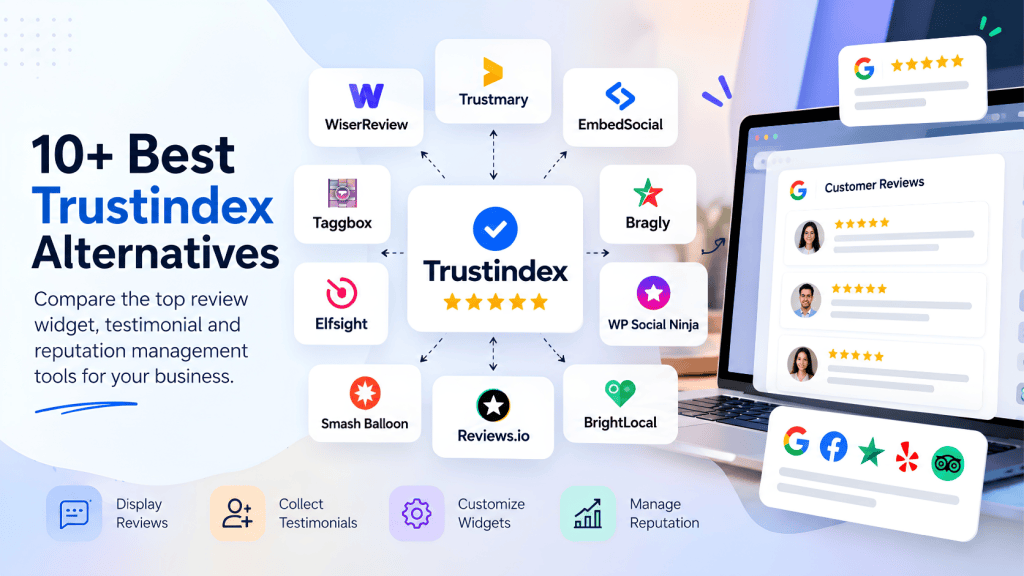
Rich Showcase vs Widgets for Google Reviews by Trustindex
One of the most obvious alternatives is Widgets for Google Reviews by Trustindex.
Both plugins are focused specifically on Google Reviews for WordPress.
WordPress.org currently reports:
Widgets for Google Reviews: 1M+ active installations
Rich Showcase: 100K+ active installations
Both currently carry a 4.9 rating on WordPress.org.
The important distinction isn’t simply installation count.
Rich Showcase focuses on:
- Google Reviews
- Multiple layouts
- Lightweight WordPress integration
- Multiple places
- Shortcodes
- Custom CSS
Trustindex’s plugin offers a broader review-platform ecosystem and a much larger user base.
So if you’re choosing between the two, compare the review sources and workflow you actually need, rather than assuming that the larger installation count makes one automatically more appropriate.
Rich Showcase vs WP Social Ninja
WP Social Ninja is another interesting comparison.
A recent 2026 comparison from WP Manage Ninja specifically tested Rich Showcase and WP Social Ninja across areas including setup, design, filtering, schema and overall value. It describes Rich Showcase as a more focused Google Reviews plugin, while WP Social Ninja offers a broader social/review feature set.
That’s an important distinction.
Rich Showcase
Better suited to:
“I primarily need Google Reviews on my WordPress website.”
WP Social Ninja
More suited to:
“I want Google Reviews plus a wider collection of social and engagement features.”
Again, neither description is inherently better. They’re simply different product directions.
Pros and Cons of Rich Showcase
What we like
Simple initial setup
The ability to display the first 10 reviews without an API key lowers the barrier to entry.
Multiple layouts
Slider, grid, list and rating formats cover most standard website requirements.
Strong WordPress compatibility
Gutenberg, Elementor, shortcodes and several page builders are supported.
Multiple locations
This is useful for businesses and agencies managing multiple Google Business Profiles.
Good customization
The plugin provides built-in style controls plus custom CSS.
Active development
The changelog shows ongoing bug fixes, accessibility work and feature improvements.
Large user base
100,000+ active installations is substantial for a specialized WordPress review plugin.
What could be better
Automatic updates require more configuration
If you need continuous automatic updates through your own Google API key, the setup becomes more technical.
Recent support issues exist
The support forum contains reports involving review updates, connection issues and incomplete review loading.
That doesn’t establish that the plugin is broadly unreliable, but it is something to monitor.
It isn’t a complete review-management platform
If you need automated review campaigns, advanced customer feedback workflows, reputation monitoring or comprehensive sentiment analytics, you’ll probably need a broader platform.
Security history deserves attention
Historical vulnerabilities have been documented and patched. Keep the plugin updated and don’t run outdated versions.
Who Should Use Rich Showcase for Google Reviews?
I’d put Rich Showcase on the shortlist if you’re:
- Running a WordPress website
- Mainly interested in Google Reviews
- Looking for a free starting point
- Using Gutenberg or Elementor
- Managing one or multiple locations
- Looking for multiple review layouts
- Comfortable with basic WordPress configuration
It’s especially attractive for a local business that simply wants something like:
“Rated 4.8/5 on Google — see what our customers say.”
without building a custom review system.
Who Should Look for an Rich Showcase for Google Reviews Alternative?
You may want something else if your requirements include:
- Automated review-request campaigns
- SMS review requests
- Email review campaigns
- Video testimonial collection
- Advanced customer feedback
- Sentiment analysis
- Reputation monitoring
- Multi-platform social content
- Enterprise reporting
In those cases, look beyond traditional Google Reviews plugins.
FAQs
Is Rich Showcase for Google Reviews free?
Yes. Rich Showcase has a free WordPress version. Its current listing says the first 10 Google Reviews can be displayed without an API key.
Does Rich Showcase need a Google API key?
Not for its initial 10-review setup. An API key can be used for automatic review and rating updates.
How many reviews can Rich Showcase display?
The API-free initial setup supports up to 10 Google Reviews. The plugin’s broader functionality can support additional review configurations depending on how the Google connection is set up.
Can I use Rich Showcase with Elementor?
Yes. The plugin lists Elementor among its supported page builders. It also supports Gutenberg, WPBakery, Divi, Beaver Builder, SiteOrigin, widgets and shortcodes.
Can Rich Showcase display Google Reviews from multiple locations?
Yes. The plugin says there are no limits on the number of Google Business locations you can connect.
Can I customize the Google Reviews widget?
Yes. Rich Showcase includes styling controls for review elements and supports custom CSS.
Does Rich Showcase automatically update Google Reviews?
It can. The plugin says automatic updates are available when using your own Google API key.
Is Rich Showcase good for SEO?
It can help you present useful customer-generated content and social proof, but installing the plugin doesn’t guarantee better rankings. Review schema also has specific Google eligibility requirements.
Does Rich Showcase slow down WordPress?
The plugin says it uses a small CSS/JS footprint and lazy-loaded images, but actual performance depends on your website, theme, page builder and other scripts. (
Is Rich Showcase better than Widgets for Google Reviews?
They are both established Google Reviews plugins, and both currently have 4.9 ratings on WordPress.org. Widgets for Google Reviews has a substantially larger active-installation base, while Rich Showcase focuses on a more streamlined Google Reviews widget experience.
Is Rich Showcase better than WP Social Ninja?
They solve somewhat different problems. Rich Showcase is focused primarily on Google Reviews, while WP Social Ninja offers a broader social/review feature set.
Is Rich Showcase secure?
The current plugin has a history of patched security vulnerabilities. The important takeaway is to use the latest version and keep WordPress plugins updated. Third-party security databases list six historical vulnerabilities associated with older versions.
Final Verdict: Should You Try Rich Showcase for 7 Days?
After looking beyond the feature list, Rich Showcase comes across as a focused WordPress Google Reviews plugin rather than an all-in-one reputation platform.
That’s actually its biggest strength.
It doesn’t try to do everything.
If your requirement is:
“I want to display my Google Reviews on WordPress, make them look good, customize the widget and avoid a complicated setup.”
Rich Showcase checks most of the important boxes.
It supports multiple layouts, multiple locations, Gutenberg, Elementor, shortcodes, custom CSS, review filtering and an API-free starting point for up to 10 reviews.
The main things I’d watch are the Google connection/update process, your actual page-speed results, and the plugin’s ongoing update/security history.
And there’s one final point worth remembering:
Don’t choose a Google Reviews plugin based solely on its star rating or number of installations.
Choose it based on how much of your review workflow you actually need.
If all you need is a clean review widget, Rich Showcase is worth putting through your own seven-day evaluation.
If you need to collect, automate, analyze and manage customer reviews, you may want to look at a broader review-management platform instead.
Want to test it yourself?
Start with the free version on WordPress, connect your Google Business Profile, build one widget and place it on a real page.
Then measure the things that matter:
Setup time → design → review updates → mobile experience → page speed → customization.
That seven-day test will tell you much more about whether Rich Showcase fits your website than a feature list ever could.







Leave a comment