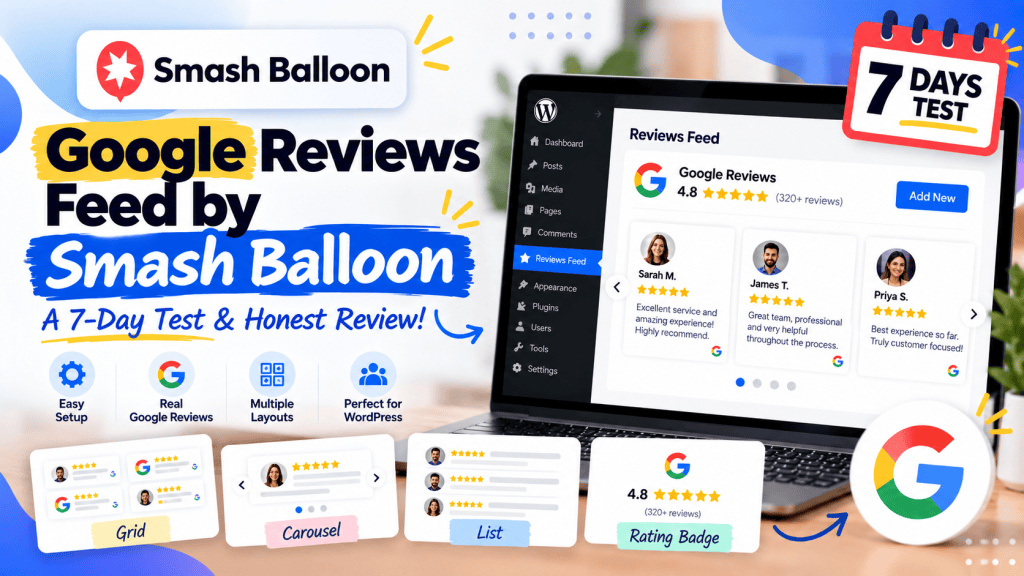
If you are looking for a way to display Google reviews on a WordPress website, Reviews Feed by Smash Balloon is one of the plugins that deserves a closer look.
But installing a plugin and getting a few reviews on a page is only part of the story.
The real questions are:
- How easy is it to set up?
- Do you need a Google API key?
- How much customization do you get?
- Can you control which reviews appear?
- How does it perform?
- Is the free version actually useful?
- Is the Pro version worth paying for?
- And, most importantly, is it a good fit for a real WordPress website?
So I decided to put Reviews Feed by Smash Balloon through a seven-day evaluation, starting with an actual installation and setup.
This isn’t a review based only on the plugin’s marketing page. I went through the installation process myself, checked the available settings, tested the initial Google Reviews setup and then looked at the plugin’s broader features, pricing, documentation, updates and user feedback.
Let’s see how it holds up.
TL;DR
Google Reviews Feed by Smash Balloon is a well-rounded WordPress plugin for displaying Google reviews, particularly if you want more control than a basic review widget provides.
The setup itself was surprisingly straightforward.
The free version lets you connect Google Reviews and display up to 10 recent reviews for a single business without requiring an API key after email verification.
The Pro version goes much further, adding more review sources, additional layouts, review filtering, moderation, review history, automatic updates and other features.
However, there is an important distinction:
If all you need is a simple Google Reviews widget, you may not need all of Smash Balloon’s functionality.
If you want to build a more comprehensive social-proof system across Google, Yelp, Facebook, Trustpilot and other platforms, the plugin becomes considerably more interesting.
What is Reviews Feed by Smash Balloon?
Reviews Feed by Smash Balloon is a WordPress plugin for displaying customer reviews from platforms such as Google, Yelp and other review websites directly on your WordPress site.
The plugin is designed to pull reviews from external platforms and turn them into customizable feeds that you can place throughout your website.
Instead of manually copying customer testimonials into WordPress, you can connect your review source and display the reviews dynamically.
The plugin currently has more than 100,000 active installations on WordPress.org and is actively maintained. The WordPress.org listing currently shows version 2.13.1.
And this is not just a Google Reviews plugin.
Depending on the license, Smash Balloon supports review sources including Google, Yelp, Facebook, Trustpilot, WooCommerce, AliExpress, Easy Digital Downloads, TripAdvisor, Airbnb, Booking.com and WordPress.org.
That makes it more of a review feed platform for WordPress than a simple Google Reviews embed.
My 7-Day Test
For this review, I looked at the plugin from seven different angles according to our review methodology
| Day | What I tested |
|---|---|
| Day 1 | Installation and setup |
| Day 2 | Google Reviews connection |
| Day 3 | Feed design and customization |
| Day 4 | WordPress integration |
| Day 5 | Performance and updates |
| Day 6 | Review filtering and management |
| Day 7 | Pricing, support and overall value |
The first day was a hands-on installation.
And I actually noticed something interesting before installing it.
Day 1: Installation and Setup
First impression: Who is actually behind Smash Balloon?
When I searched for the plugin inside WordPress, one thing immediately caught my attention.
Reviews Feed wasn’t listed under the company name I initially expected.
Instead, the plugin is associated with the broader Awesome Motive ecosystem.
If you’re familiar with WordPress, you’ll probably recognize names such as:
- WPBeginner
- WPForms
- OptinMonster
- All in One SEO
- WPCode
- Duplicator
- MonsterInsights
Smash Balloon became part of the Awesome Motive family in 2020. Smash Balloon was originally founded by John Brackett, while Syed Balkhi is the founder and CEO of Awesome Motive and currently serves as an adviser to Smash Balloon.
So, from a trust perspective, I didn’t have much hesitation about installing the plugin.
Step 1: Install Reviews Feed by Smash Balloon
I searched for Reviews Feed by Smash Balloon in the WordPress plugin directory and installed it.
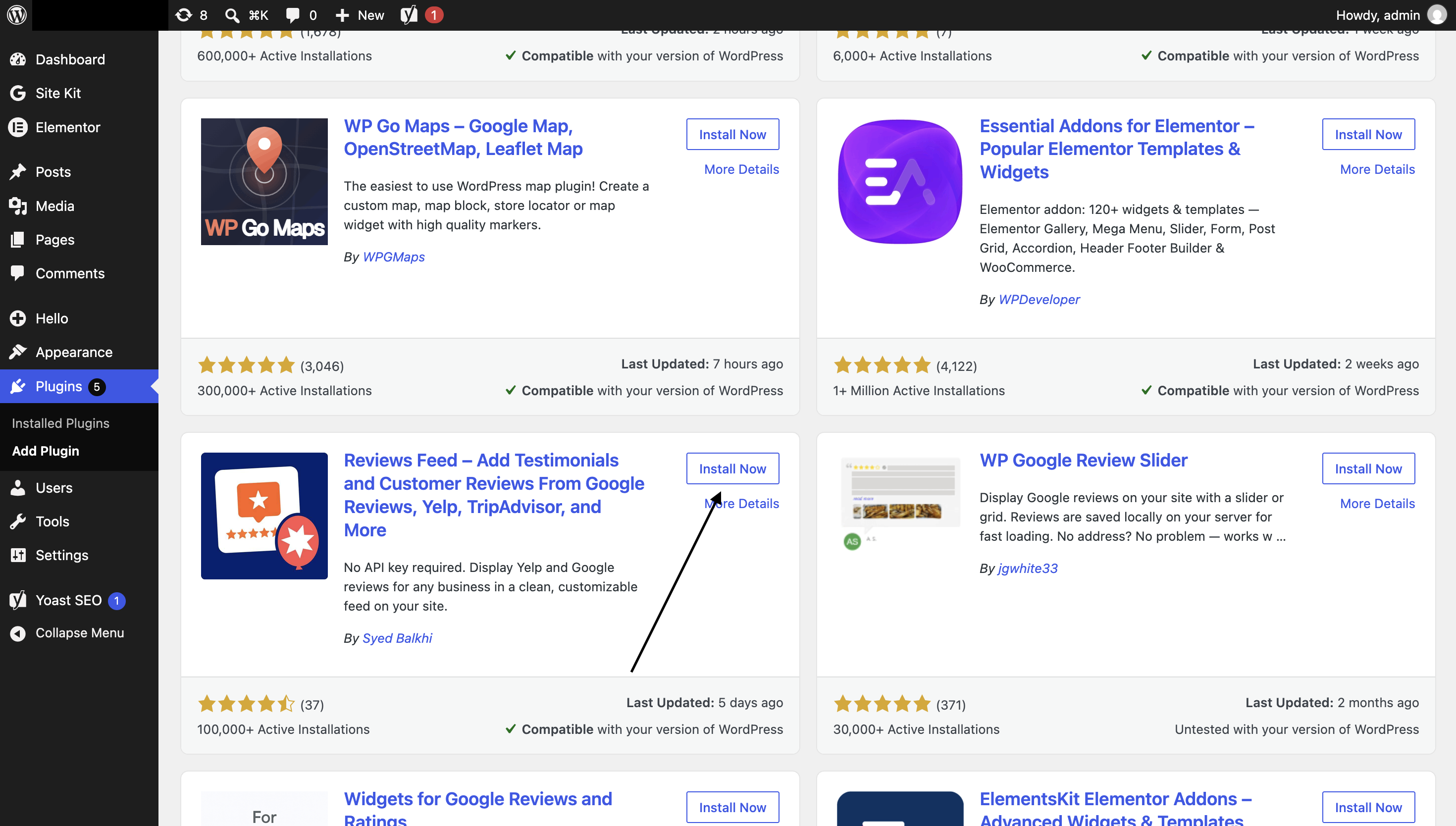
After installation, I activated the plugin.
Nothing unusual here.
The installation process was exactly what you would expect from a normal WordPress plugin.
Step 2: Activate the Plugin
Once activated, a new Reviews Feed section appeared in the WordPress dashboard.
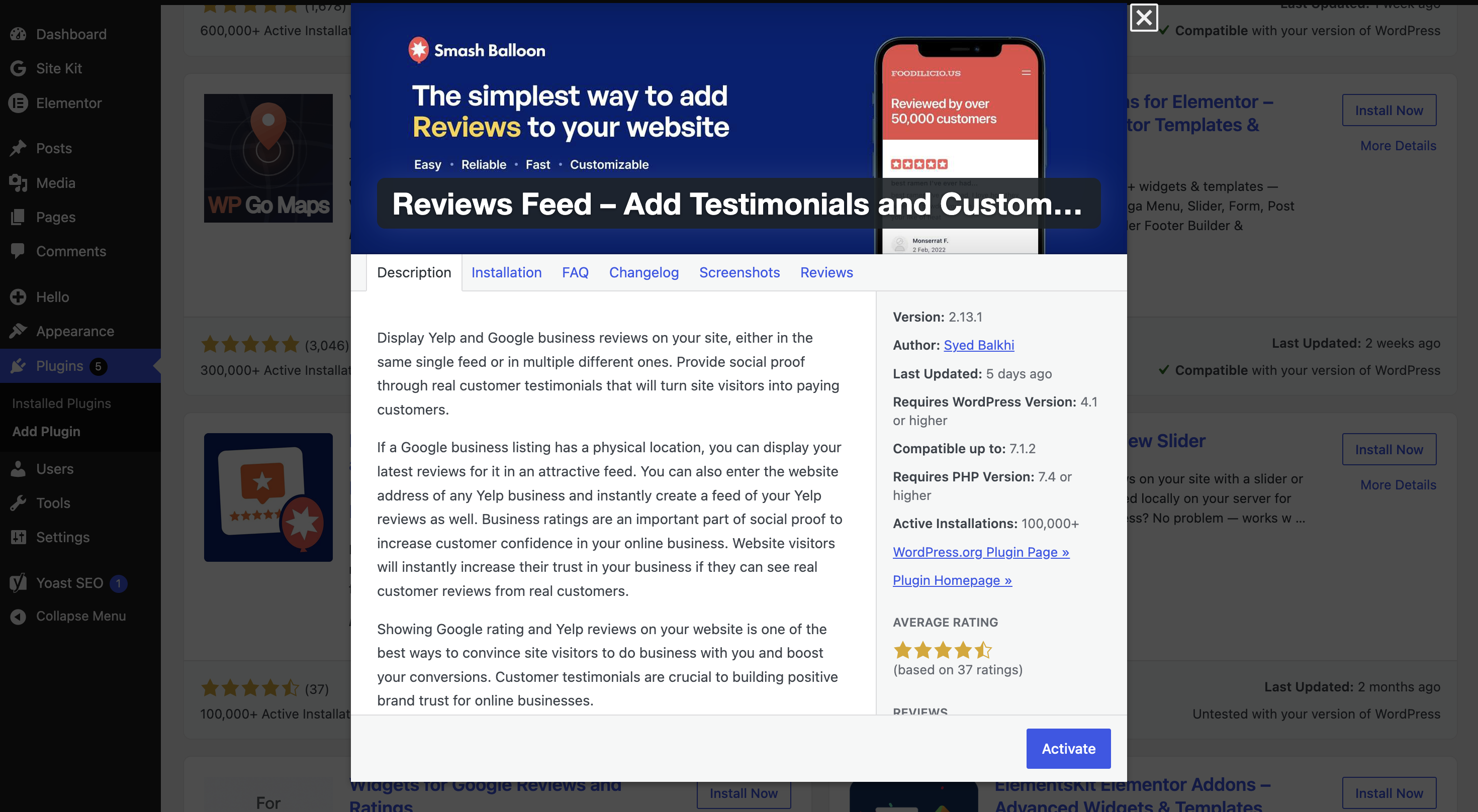
This is where the actual setup starts.
Step 3: Open “All Feeds”
I hovered over the Reviews Feed tab in the WordPress sidebar and clicked All Feeds.
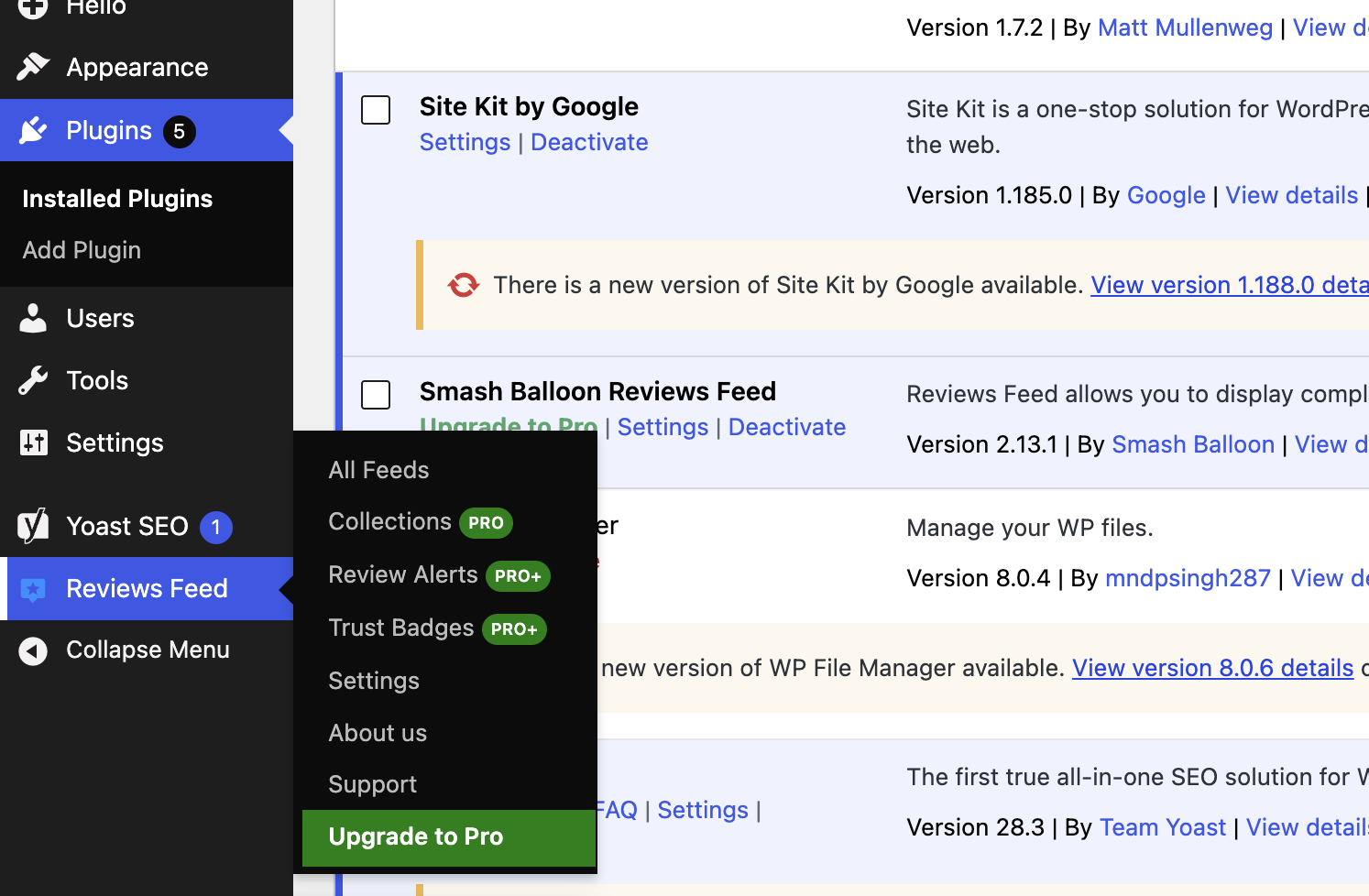
This takes you to the feed management area.
From here, you can create and manage your review feeds.
Step 4: Click “Add New”
The next step was simply clicking Add New.
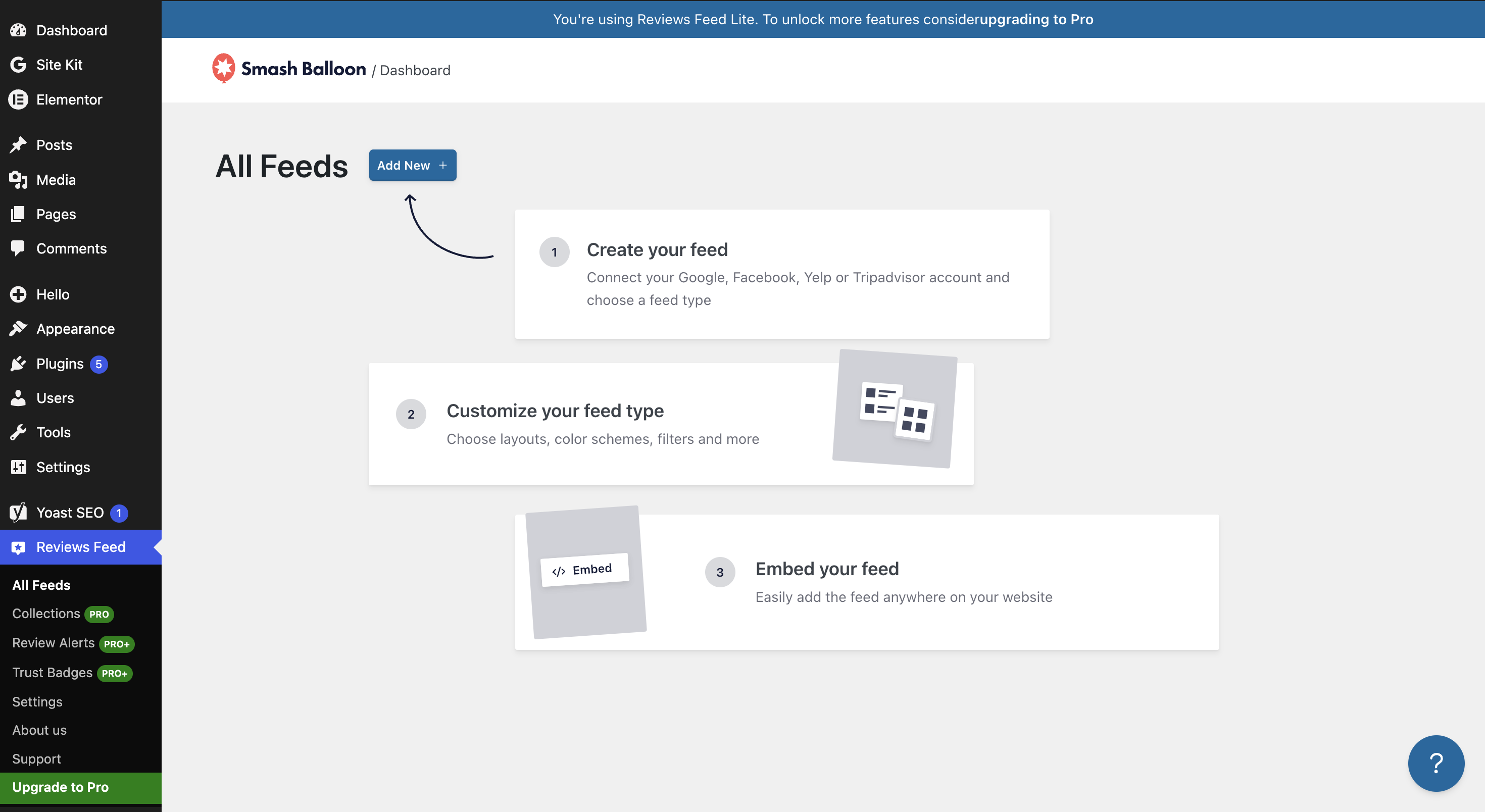
This is where Smash Balloon starts asking what review source you want to connect.
Step 5: Select Google
For this test, I selected Google as the review source.
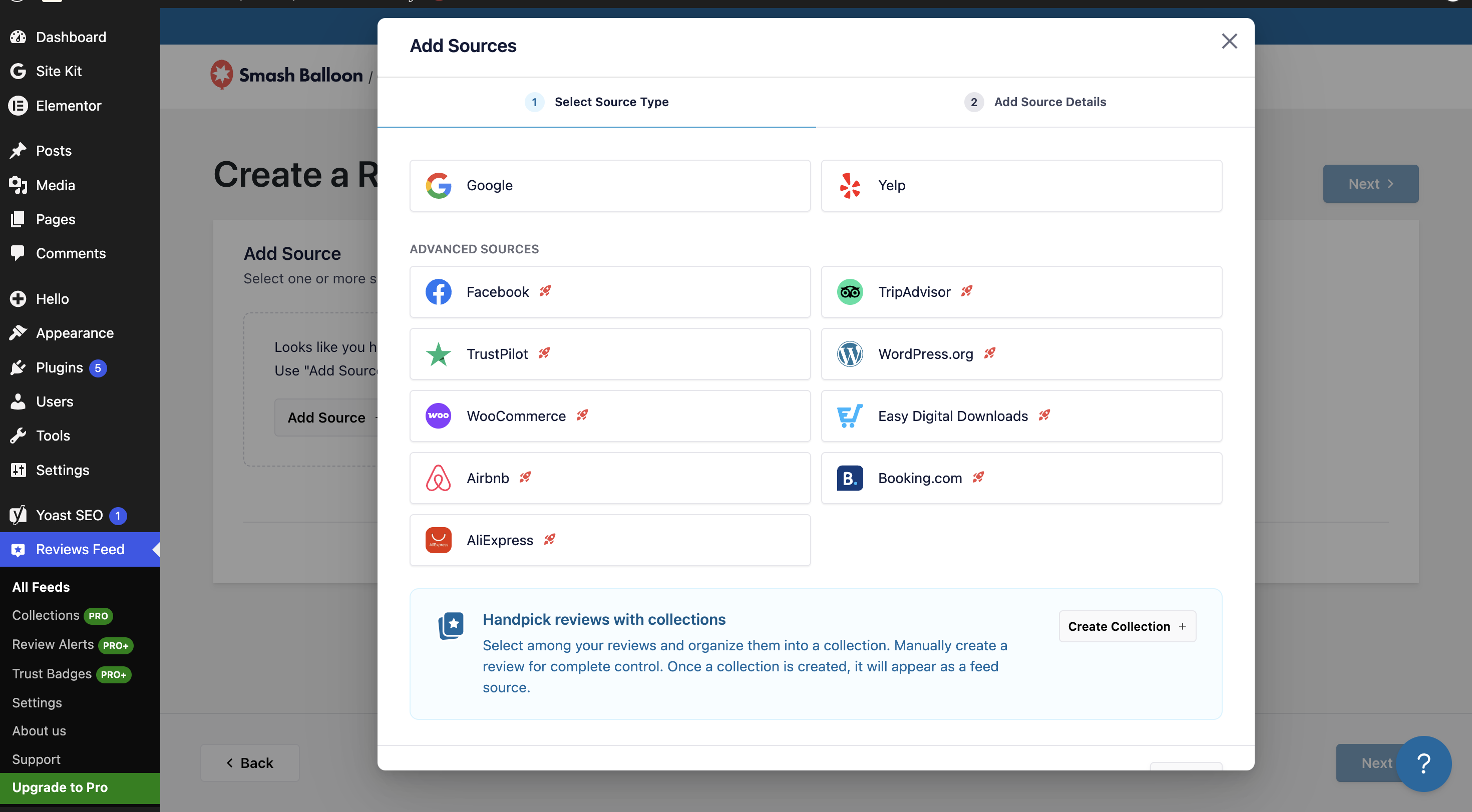
This is exactly what I wanted to test because the primary keyword we’re targeting is Google Reviews Feed by Smash Balloon.
Step 6: Add the Google Place ID
This was the only step where someone unfamiliar with Google Business Profile terminology might need a little help.
Smash Balloon asks for the Place ID of the business whose reviews you want to display.
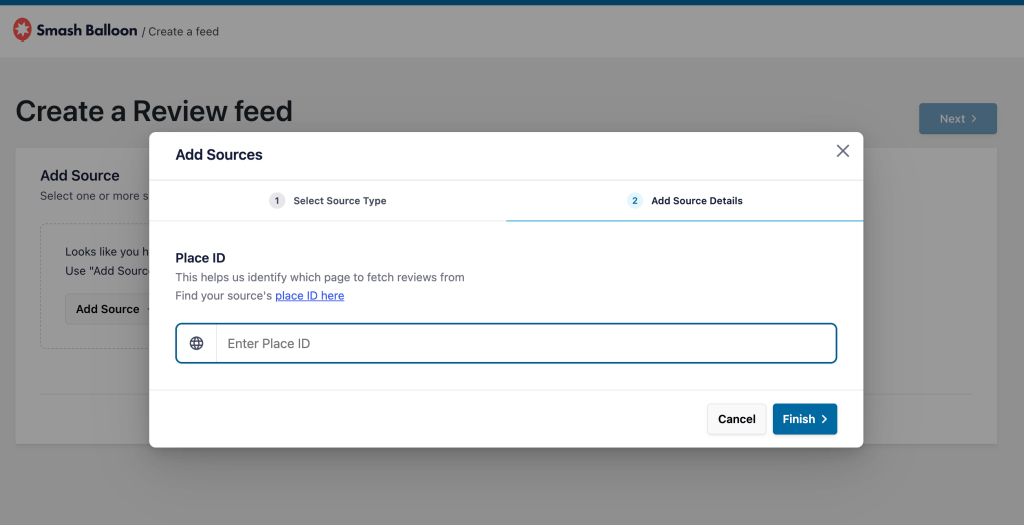
If you don’t know where to find your Place ID, Smash Balloon provides a link to Google’s Place ID documentation.
👉🏻 Google’s official Place ID Finder
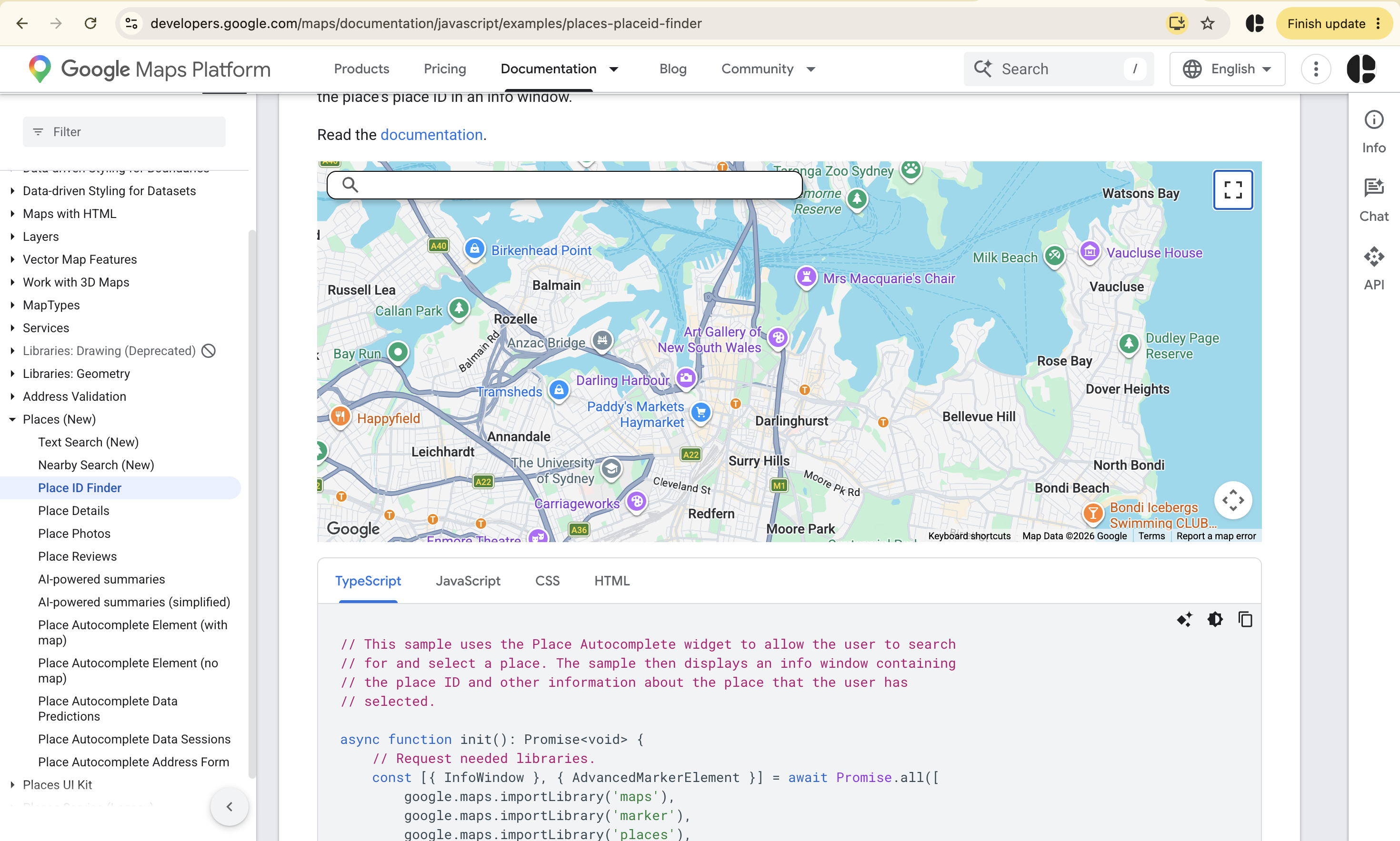
Once the Place ID was entered, the connection process was straightforward.
Step 7: Your Google Reviews Feed Is Ready
And this is the part I liked.
Once the feed was created, I didn’t need to build the review section manually.
The plugin generated the feed and provided a shortcode that could be placed wherever I wanted it on the website.
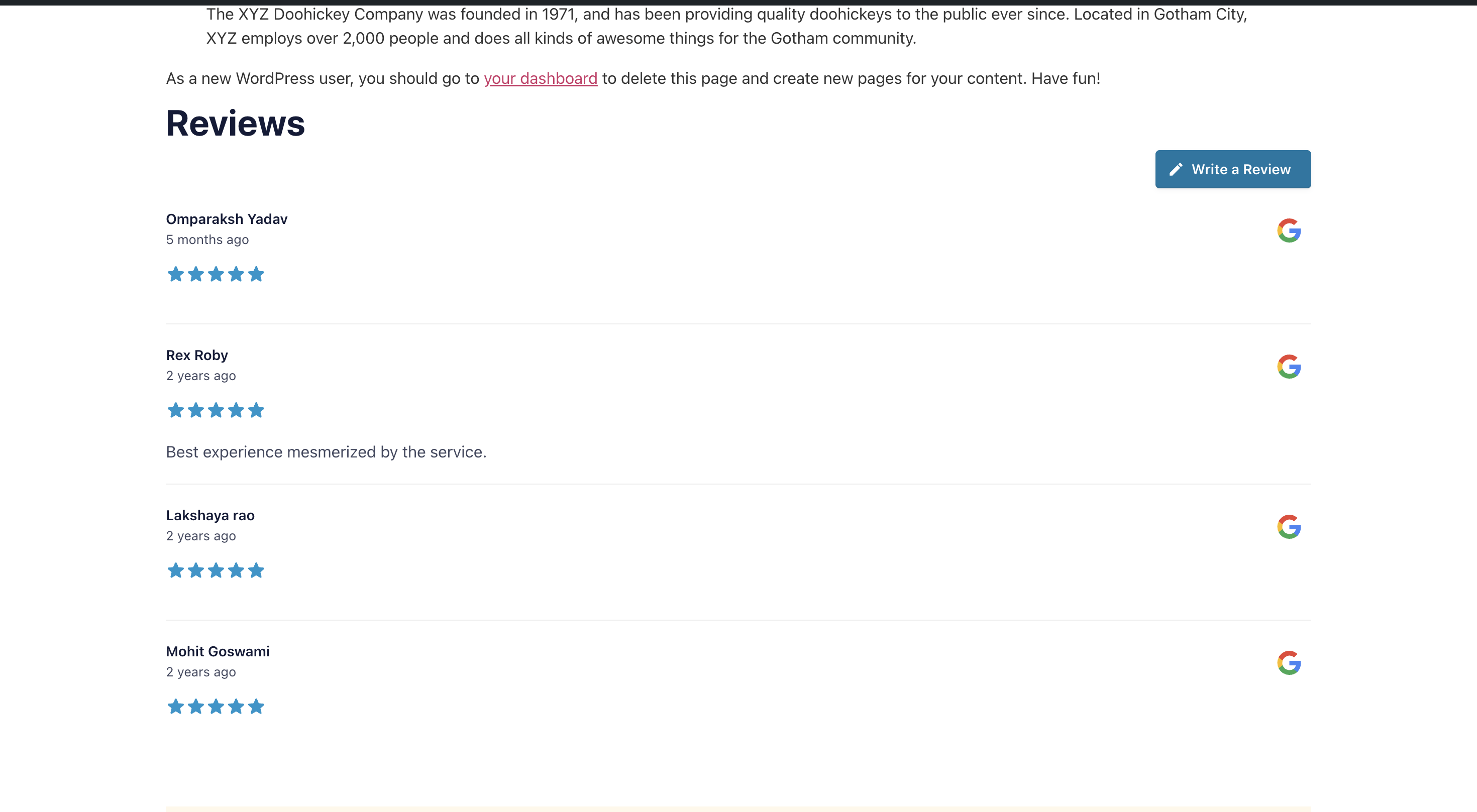
So the basic workflow was:
Install → Activate → All Feeds → Add New → Google → Place ID → Generate Feed → Copy shortcode
That’s it.
No custom PHP.
No manually copying reviews.
No complicated widget-building process.
My Day 1 setup score: Easy
For a WordPress user who is reasonably comfortable with plugins, I found the setup process easy.
The only part that may confuse beginners is the Google Place ID.
But even that isn’t particularly difficult once you know what Google is asking for.
What About the Free Version?
This is another interesting part of the initial test.
The free version currently allows you to display up to 10 recent Google reviews for a single business without an API key, after email verification.
That makes the free version useful for testing the plugin before getting into more advanced Google API configuration.
The free version supports Google and Yelp as review sources.
For someone who simply wants to answer:
“Can I put my Google Reviews on my WordPress website?”
the free version is enough to test that concept.
But that’s only the beginning.
Day 2: Connecting Google Reviews
Once the basic feed was created, the next thing I wanted to understand was how Smash Balloon handles Google Reviews behind the scenes.
This is where Google API terminology starts becoming relevant.
Smash Balloon’s documentation explains that Google Places is used to retrieve reviews.
For ongoing API-based updates, you can connect a Google API key.
However, Smash Balloon’s current documentation also provides a Pro workflow that can fetch reviews without requiring users to configure their own API key for certain use cases.
For a small business owner, this is important.
You shouldn’t have to become a Google Cloud expert just to display your testimonials.
At the same time, if you’re managing a larger website, understanding Google’s API limits and billing structure is still useful.
Day 3: Feed Design and Customization
Once the reviews were connected, the next question was:
Can I make the reviews actually look like part of my website?
This matters more than it sounds.
A review widget can contain excellent reviews and still look terrible if it doesn’t match the website design.
Smash Balloon provides customization options for the feed’s appearance and layout.
Depending on the version and configuration, you can control elements such as:
- Number of reviews
- Feed width
- Feed height
- Columns
- Review text
- Reviewer information
- Star ratings
- Review dates
- Background
- Colors
- Spacing
- Layout
The Pro version expands the customization and display capabilities further.
Multiple Review Layouts
Instead of displaying reviews as a simple block of text, you can use different presentation styles.
For example:
List
Useful when you want visitors to read reviews one after another.
Grid
Useful when you want to display several reviews simultaneously.
Carousel
Useful when horizontal space is limited and you want to rotate through reviews.
Review Collections
With Pro functionality, you can create more curated review displays.
This opens up some interesting use cases.
For example:
Homepage: Show your strongest customer reviews.
Pricing page: Show reviews discussing value.
Product page: Show reviews relevant to that product.
Location page: Show reviews associated with that location.
That is considerably more useful than simply putting the same review widget everywhere.
Day 4: WordPress Integration
This is one area where Smash Balloon has an obvious advantage.
It is built specifically for WordPress.
You don’t have to create a custom integration just to get the feed onto your website.
The plugin provides multiple implementation methods, including:
- WordPress block
- Elementor
- Shortcode
- Multiple feeds
- Multiple feed instances
The shortcode option is particularly useful if you’re working with custom WordPress templates.
For example, you can create your feed once and then place it on:
- Homepage
- Landing pages
- Product pages
- Service pages
- Location pages
- Testimonials pages
without recreating the entire feed.
Day 5: Performance and Updates
A review plugin should not become the reason your website becomes slow.
This is an area where I would always recommend testing the actual implementation rather than relying only on a plugin’s marketing claims.
Smash Balloon’s changelog shows ongoing work around feed loading, caching, Elementor compatibility, background processing and other technical improvements.
The current plugin is also actively maintained, with version 2.13.1 listed on WordPress.org.
However, remember that your website’s performance depends on much more than the plugin itself.
For example:
- Hosting
- WordPress theme
- Number of plugins
- JavaScript
- CSS
- Images
- Number of reviews
- Number of feeds
- Caching
- CDN
- Page-builder usage
So I wouldn’t say:
“Smash Balloon is fast.”
I’d say:
Smash Balloon has ongoing performance-related maintenance, but you should test the actual implementation on your website.
That’s a much more useful way to evaluate a WordPress plugin.
Day 6: Review Filtering and Management
This is where the Pro version becomes considerably more interesting.
Imagine you have hundreds of Google Reviews.
You probably don’t want to show every single review on every page.
You may want to display only:
- 5-star reviews
- Reviews containing specific keywords
- Reviews related to a product
- Reviews related to a service
- Selected reviews
- Specific review collections
Smash Balloon’s Pro functionality provides filtering and moderation options to give you more control over what appears in your feeds.
This turns the plugin from a simple Google Reviews widget into something closer to a social proof management system for WordPress.
Day 7: Pricing and Long-Term Value
Pricing is where you need to look beyond the introductory price.
At the time of writing, Smash Balloon’s Reviews Feed pricing page lists:
| Plan | Current listed price | Websites | Review sources |
|---|---|---|---|
| Basic | $49/year | 1 | Google + Yelp |
| Plus | $99/year | 5 | Adds Facebook, Trustpilot, WooCommerce and more |
| Elite | $149/year | 10 | Adds TripAdvisor, Airbnb, Booking.com and WordPress.org |
| All Access | $299/year | Unlimited | All Pro plugins |
The pricing page currently shows these as 50% promotional prices.
The Basic plan is particularly relevant if you only need Google Reviews.
It supports Google and Yelp and is designed for one website.
The Plus plan becomes more interesting when your business uses multiple review platforms.
Elite expands the number of supported sources and websites.
And All Access is aimed at agencies, businesses managing multiple websites, or users who want Smash Balloon’s broader plugin ecosystem.
Is the Free Version Actually Useful?
Yes.
And this is one of the things I liked about the initial setup.
The free version isn’t simply a locked demo.
You can actually use it to display reviews from Google and Yelp.
For a small business with one website and a straightforward requirement, this may be enough.
But you start running into the Pro boundary when you need more advanced review sources and functionality.
For example:
- Additional review platforms
- Advanced filtering
- More review history
- Review alerts
- More advanced feed management
- Additional Pro functionality
So I would recommend starting with the free version if your requirements are basic.
Upgrade when you actually need the additional capabilities.
Does Smash Balloon Help With SEO?
This requires some clarification.
Smash Balloon’s pricing page promotes Rich Snippets / SEO Schema as one of its features.
However, you should not install a Google Reviews plugin expecting it to automatically generate star ratings for your own business in Google’s organic search results.
Google’s current documentation specifically states that self-serving reviews for a business or organization are not eligible for review rich results when the business controls the reviews about itself.
Google also says not to aggregate reviews or ratings from other websites in structured data.
Google previously clarified that this applies even when the reviews are embedded through a third-party review widget.
So the SEO value should be viewed differently.
A review feed can provide:
- Visible customer feedback
- More social proof
- Additional useful content
- Better conversion context
- Trust signals for website visitors
- Fresh customer-generated content
But don’t buy it specifically because you expect:
“Google review widget → star rating in Google Search.”
That’s not how Google’s current review rich-result guidelines work for self-serving local-business reviews.
What Real WordPress Users Are Saying
The public WordPress.org feedback is worth checking because it gives you a perspective that product documentation can’t.
Recent reviews include positive comments about simple integration and support.
For example, a September 2026 reviewer said the integration was simple and described receiving hands-on support when they encountered an issue after using the plugin for about a year.
Another recent review praised Smash Balloon’s plugins and support.
But not all feedback is positive.
One September 2026 reviewer specifically complained that Trustpilot functionality was a premium feature and wanted that limitation to be made clearer.
That’s a useful reminder:
Always check which review platforms are included in the plan you are actually purchasing.
The plugin may support a platform, but that doesn’t necessarily mean the platform is available in the free or Basic version.
Smash Balloon Reviews Feed: Pros and Cons
Pros
- Easy initial WordPress setup
- Google Reviews support
- Free version available
- Yelp support in the free version
- Multiple layouts
- Shortcode support
- WordPress integration
- Elementor compatibility
- Multiple feeds
- Review filtering
- Review moderation
- Multiple review platforms in Pro
- Active development
- Large WordPress install base
- Established WordPress ecosystem
Cons
- Advanced functionality requires Pro
- Additional review platforms require higher plans
- Google Place ID may confuse beginners
- Google API configuration can become technical
- Promotional pricing should not be confused with regular pricing
- Potentially more functionality than necessary for a simple Google-only widget
- You should independently test performance on your website
Who Should Use Google Reviews Feed by Smash Balloon?
1. Local Businesses
Restaurants, hotels, agencies, clinics, service businesses and other local companies can use Google Reviews to provide social proof directly on important website pages.
2. WordPress Website Owners
If WordPress is your primary CMS, the native integration makes the plugin particularly convenient.
3. WooCommerce Stores
The higher-tier plans can become useful when you want to combine external customer reviews with reviews from your own WooCommerce products.
4. Multi-Location Businesses
If you operate multiple locations, separate feeds can help you create more relevant review sections for individual locations.
5. Agencies
Agencies managing several WordPress websites may find the multi-site licensing more useful than a single-site plugin.
6. Businesses With Reviews Across Multiple Platforms
This is probably where Smash Balloon becomes most compelling.
If your customers are leaving reviews on Google, Yelp, Facebook, Trustpilot and other platforms, having one WordPress plugin capable of bringing those sources into your website can simplify your review strategy.
Who Probably Doesn’t Need It?
If your entire requirement is:
“I have a Google Business Profile and I want to show five reviews on my homepage.”
You may not need all the functionality Smash Balloon provides.
A lightweight Google Reviews plugin may be enough.
The value of Smash Balloon increases as your requirements become more complex.
Smash Balloon vs a Basic Google Reviews Plugin
The biggest difference isn’t necessarily the ability to display Google Reviews.
Both types of plugins can do that.
The difference is what happens after you’ve connected the reviews.
| Requirement | Basic Google Reviews Plugin | Smash Balloon Reviews Feed |
|---|---|---|
| Display Google Reviews | Usually | Yes |
| WordPress integration | Usually | Yes |
| Multiple layouts | Varies | Yes |
| Multiple feeds | Varies | Yes |
| Review filtering | Varies | Yes |
| Review moderation | Varies | Pro |
| Multiple review platforms | Limited | Pro |
| Elementor integration | Varies | Yes |
| Review collections | Rare | Pro |
| Advanced social proof | Limited | Stronger |
So I wouldn’t describe Smash Balloon as merely another Google Reviews widget.
It is better described as a WordPress review-feed platform.
My Experience With the Initial Setup
The strongest first impression from my actual test was how little friction there was between installation and getting the first Google Reviews feed ready.
The workflow was essentially:
Install
↓
Activate
↓
Reviews Feed → All Feeds
↓
Add New
↓
↓
Enter Place ID
↓
Generate Feed
↓
Copy shortcode
That’s a pretty clean workflow.
The only step that might make a beginner pause is finding the Google Place ID.
Once you have that, the rest is straightforward.
And this is exactly what I want from a WordPress plugin.
I don’t want to spend an hour configuring something that should take ten minutes.
Final Verdict: Is Google Reviews Feed by Smash Balloon Worth It?
After actually going through the installation and setup, followed by evaluating the plugin’s broader features, pricing, documentation and user feedback, my conclusion is fairly straightforward.
Smash Balloon Reviews Feed is more than a simple Google Reviews widget.
For someone who only wants to put a few Google reviews on a WordPress homepage, the free version may be enough—or a simpler plugin may be more appropriate.
But if you’re looking for:
- Multiple review feeds
- Multiple layouts
- Review filtering
- Review moderation
- Multiple review platforms
- Elementor integration
- WordPress-native implementation
- Automated review updates
- Review collections
- Long-term review management
then Smash Balloon has considerably more to offer.
The initial setup was the strongest part of my hands-on test.
I didn’t have to write code.
I didn’t have to manually copy reviews.
And I could go from installing the plugin to creating a Google Reviews feed using a relatively simple sequence of steps.
The main thing I’d recommend before purchasing is checking exactly which review sources and Pro features your website needs, because the available sources vary by license tier.
And if you’re considering it specifically for SEO, keep your expectations realistic. Google explicitly excludes self-serving local-business reviews from review rich results, including reviews displayed through third-party widgets.
Upendra Goswami
The bottom line?
If you want a straightforward Google Reviews feed, start with the free version.
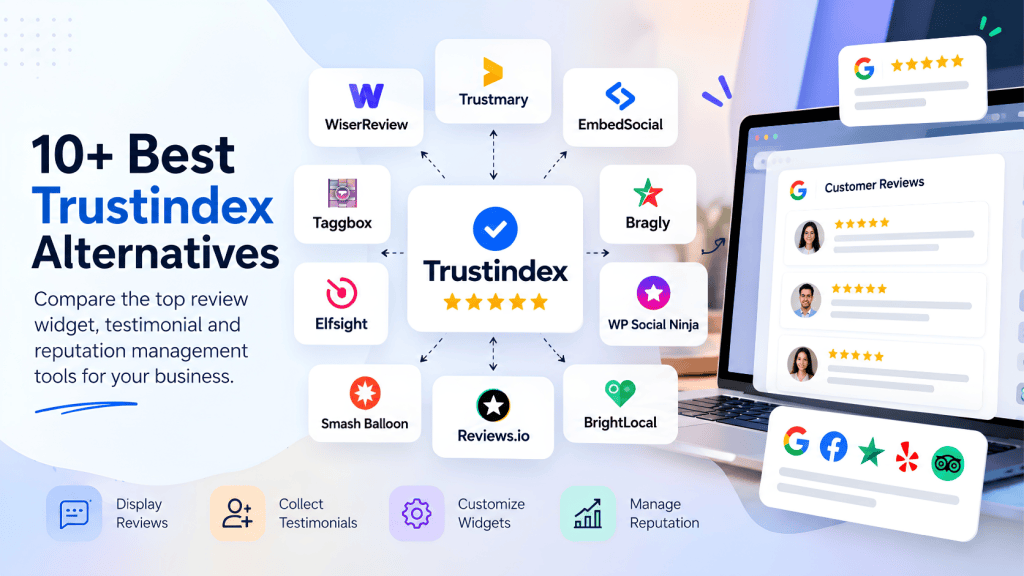
If you want to turn customer reviews from multiple platforms into a more structured social-proof system across your WordPress website, Smash Balloon becomes much more compelling, but this is not the only option you have! Comparing it with tools like Taggbox gives a better clarity.
And after going through the actual setup myself, I can understand why it has become one of the more established review-feed options in the WordPress ecosystem.






Leave a comment