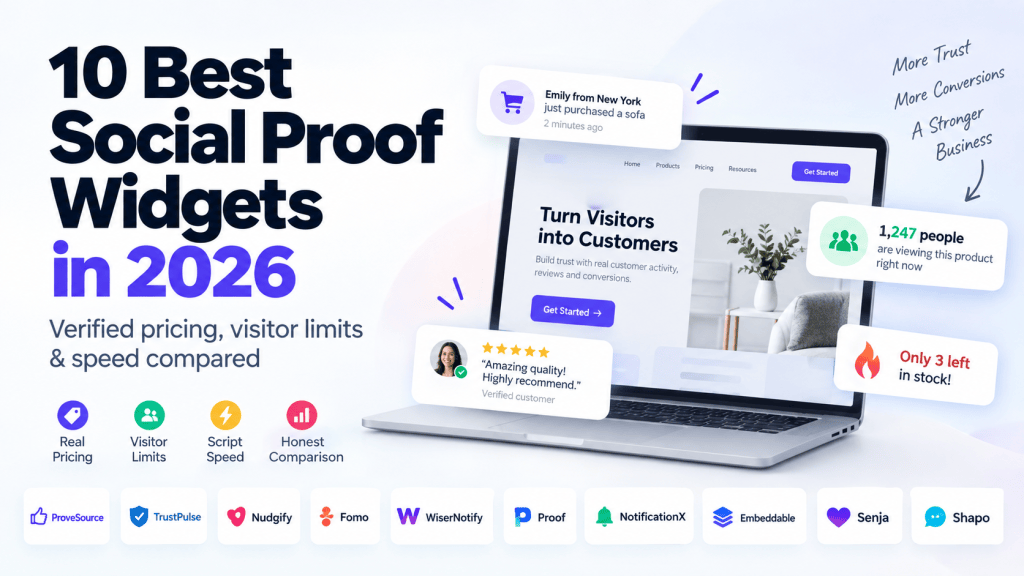
The best social proof widget in 2026 depends on your platform, traffic, budget, and the type of proof you want to display.
For most websites, Taggbox is the recommended starting point. ProveSource stands out for businesses looking for a generous free starting point, TrustPulse is a low-cost option for WordPress, Nudgify takes a simpler flat-rate approach, and Fomo is built around integrations and testing.
But price alone can be misleading.
Social proof tools use very different pricing models. Some charge a flat monthly fee, some limit the number of visitors you can serve, while others cap notifications or impressions. A $5 or $9 plan can therefore look inexpensive until your traffic increases.
This comparison focuses on the information buyers actually need before installing one of these tools: what the entry-level price includes, how the pricing model works, what types of social proof each platform supports, and where each tool falls short.
Pricing note: pricing and availability should be rechecked against the vendors’ live pricing pages on publication day. This comparison brief was prepared using July 2026 research.
Quick Comparison: Best Social Proof Widgets in 2026
| Tool | Best For | Free Plan / Trial | Starting Price* | Pricing Model | Notifications / Visitors at Entry | Script Weight |
|---|---|---|---|---|---|---|
| Taggbox | Overall social proof | Yes | $19/month | View and Platform based | 50000 views.month | Measure before publishing |
| ProveSource | Free-plan users | 1,000 visitors/month | Verify | Visitor-based | 1,000 visitors/month | Measure |
| TrustPulse | WordPress | Trial/free availability varies | $5/mo annual | Visitor/session-based | Session limits apply | Measure |
| Nudgify | Flat-rate value | Trial | $9/mo | Flat-rate | Up to stated plan limit | Measure |
| Fomo | Integrations & A/B testing | Trial | ~$19–$25/mo | Notification-based | Plan-dependent | Measure |
| WiserNotify | Notification variety | Verify | $16/mo | Plan-based | Plan-dependent | Measure |
| Proof / UseProof | SaaS personalization | Trial | $29/mo | Visitor-based | 1,000 visitors at referenced tier | Measure |
| NotificationX | WordPress + lifetime pricing | Free | Free / paid options | Plugin-based | No impression caps on free plugin | Measure |
| Embeddable | Custom widgets | Verify | Verify | Plan-based | Plan-dependent | Measure |
| Senja / Shapo | Testimonials | Free/trial availability varies | Verify | Plan-based | Plan-dependent | Measure |
*Pricing shown here reflects the supplied July 2026 research brief and should be verified against the vendors’ current pricing pages before publication.
How We Compared These Social Proof Widgets
There is an important disclosure before comparing these products.
We have therefore used a review methodology designed to make the comparison independently useful rather than presenting every product as a variation of the same solution.
This matters because the social proof software market contains a number of comparison articles published by brands with relationships to the products being reviewed. Buyers should know who is publishing a recommendation and how the information was collected.
For this comparison, the evaluation framework includes:
- Entry-level pricing and exactly what that price includes
- Flat-rate versus visitor- or notification-based pricing
- Types of social proof widgets supported
- Targeting, analytics and customization
- Integrations
- Website-performance considerations
- Review evidence from third-party platforms
- Limitations and missing features
- The actual cost of scaling as traffic increases
Pricing should be checked against a live pricing page before purchase because plans, visitor allowances and notification limits can change.
The Per-Visitor Pricing Trap You Should Understand Before Buying
One of the easiest mistakes when choosing social proof software is comparing only the headline monthly price.
For example, a tool costing $5 per month may initially look significantly cheaper than one costing $20 per month. But if the $5 plan is constrained by visitors and your site grows rapidly, you may have to upgrade multiple times.
There are generally three pricing approaches in this market.
1. Flat-rate pricing
A flat-rate model focuses primarily on the functionality included in your subscription rather than charging you each time your website receives more traffic.
Nudgify is an example of the style of pricing buyers should look for when they want predictable costs.
The advantage is straightforward: when traffic grows, the software bill does not automatically increase simply because more people visited the site.
2. Visitor-based pricing
Some platforms tie the plan to the number of visitors or sessions your website receives.
TrustPulse, ProveSource and Proof use versions of this approach.
This can be attractive when you’re starting with a low-traffic website. But it becomes increasingly important to calculate the cost at your expected traffic level rather than today’s traffic.
3. Notification-based pricing
Other platforms limit the number of notifications or impressions your campaigns can display.
Fomo is an example of a tool where notification limits are particularly important when comparing plans.
A plan with a low monthly fee may therefore be perfectly adequate for a smaller website but less attractive for a high-volume site.
What this means for your buying decision
Before choosing a tool, calculate your approximate monthly traffic at three points:
10,000 visitors → 50,000 visitors → 200,000 visitors
Then ask:
Does the tool remain affordable as my website grows, or does the pricing model punish increased traffic?
That calculation can completely change which tool looks inexpensive.
A $5–$9 starting plan is not necessarily the cheapest option in the long term. The relevant number is your true monthly cost at your actual traffic level.
The 10 Best Social Proof Widgets for 2026
1. Taggbox — Best Overall
Best for: Businesses wanting a broader social proof toolkit rather than a notification-only product.
Taggbox is a UGC and social proof platform that allows you to collect, curate, customize and publish your social media content, social proof, hashtag feeds, mentions, or direct user submissions through QRand forms on your website and even on digital screens.
What it does well
Best tool to collect, automate, get rights, moderate and use social proof across marketing touchpoints
2. ProveSource — Best Free Plan to Start
Best for: Small websites and businesses wanting to test social proof before paying.
ProveSource is particularly attractive to users who want to experiment with social proof without immediately committing to a paid subscription.
The supplied research brief identifies a 1,000-visitor/month free plan, with full features and a watermark.
That makes it useful for testing whether social proof notifications fit your website and audience before increasing your budget.
What it does well
The free option lowers the barrier to experimentation. Instead of making a long-term purchasing decision upfront, a small business can implement the tool and observe how visitors respond.
Where it falls short
The biggest limitation is the visitor ceiling. A tool that is highly attractive at 1,000 visitors can become a different proposition once traffic increases substantially.
The watermark may also make the free version less suitable for businesses that want a completely branded customer experience.
3. TrustPulse — Cheapest Entry for WordPress
Best for: WordPress websites looking for a low-cost social proof solution.
TrustPulse is particularly relevant to WordPress users because it combines a focused social proof experience with a low entry price.
The research brief references a $5/month annual-plan starting point, while also highlighting the importance of session or visitor limits.
That distinction matters.
What it does well
For a WordPress site with modest traffic, a low entry cost can make TrustPulse an easy way to introduce recent-activity notifications.
The setup is also aligned with a familiar WordPress workflow.
Where it falls short
Traffic limits should be evaluated carefully.
A website growing from a few thousand visitors to tens of thousands should recalculate the effective monthly cost before assuming the introductory price will remain sufficient.
4. Nudgify — Best Flat-Rate Value
Best for: Businesses that want predictable pricing and multiple types of website nudges.
Nudgify takes a different approach from tools where visitor volume is the primary pricing constraint.
The research brief identifies a $9/month entry point and highlights a broader nudge library covering use cases such as scarcity, delivery information and low-stock messaging.
That makes it more than a simple recent-purchase notification tool.
What it does well
The flat-rate positioning is attractive for businesses that expect their traffic to increase.
Its collection of different nudge formats can also support multiple conversion use cases across an ecommerce site.
The brief also highlights support for 32 languages, which may be useful for international websites.
Where it falls short
Analytics depth can matter more than widget variety for teams running mature conversion-optimization programs.
For example, the brief specifically flags the limitation that analytics may not clearly break conversion performance down by notification type.
5. Fomo — Best for Integrations and A/B Testing
Best for: Marketing teams that depend heavily on integrations, testing and automation.
Fomo is one of the more mature names in the social proof notification category.
The supplied research references 100+ integrations and a starting price in the approximate $19–$25/month range, depending on the cited plan.
Because the pricing figures reported by different sources conflict, the live pricing page should be checked before publication.
What it does well
Fomo’s main appeal is ecosystem depth.
For a business using multiple marketing, ecommerce and analytics systems, integrations can make the difference between a notification tool that merely displays events and one that becomes part of the wider conversion stack.
A/B testing is another important differentiator for teams that want to experiment rather than simply install a widget.
Where it falls short
The product is less compelling when your only requirement is a small, inexpensive social proof notification.
In that scenario, paying for an extensive integration ecosystem may not provide enough incremental value.
6. WiserNotify — Most Notification Types
Best for: Websites wanting a large library of notification styles and integrations.
The research brief lists WiserNotify at approximately $16/month, with 50+ styles and 250+ integrations.
Its positioning is therefore strongly centered on breadth.
A large widget library can be useful when different pages require different forms of proof, such as recent purchases on product pages, visitor counts on landing pages or conversion notifications near signup forms.
What it does well
The sheer number of integrations and display styles can reduce the need for multiple marketing tools.
The large library also provides flexibility for marketers who want to experiment with presentation.
Where it falls short
More widget options do not automatically mean better results.
A business should still determine which notification types are appropriate for its audience rather than filling every page with social proof.
7. Proof / UseProof — Best for Funded SaaS Personalization
Best for: SaaS and growth teams that need more sophisticated personalization.
Proof, also associated with the UseProof branding, sits toward the premium end of this market.
The research brief references a $29/month price for 1,000 visitors at the relevant tier.
That makes it important to compare not only functionality but also scaling economics.
What it does well
Its positioning is particularly relevant to SaaS companies where personalization, targeting and behavioral messaging can justify a more expensive conversion stack.
Where it falls short
The entry price is significantly higher than several alternatives.
For early-stage websites and lower-traffic businesses, the additional personalization capabilities may not justify the extra cost.
8. NotificationX — Best WordPress-Native and Lifetime-Pricing Option
Best for: WordPress users who want a native plugin instead of another SaaS subscription.
NotificationX takes a different path from cloud-based social proof services.
Rather than making you rely entirely on an external SaaS dashboard, it operates as a WordPress plugin and offers a free version.
The brief highlights a particularly interesting advantage: no impression caps on the free plugin, alongside lifetime-pricing options for paid functionality.
What it does well
The WordPress-native architecture can make the product appealing to website owners who prefer managing functionality directly from WordPress.
The absence of traditional SaaS-style impression limits is also worth considering for high-volume websites.
Where it falls short
A WordPress-first solution is naturally less attractive for businesses using other website platforms.
It may also lack some of the broader cross-platform ecosystem advantages offered by SaaS-first competitors.
9. Embeddable — Best Custom Widget Builder
Best for: Marketers who want more than simple notification popups.
Embeddable is worth considering if your definition of social proof extends beyond “someone just bought this product.”
The brief positions it around custom widgets including:
- Carousels
- Counters
- Badges
- Other embeddable social-proof experiences
That distinction is important because social proof can appear in many formats.
A testimonial carousel on a landing page serves a different purpose from a recent-purchase popup.
What it does well
The flexibility makes Embeddable relevant to businesses that want to create custom social-proof experiences around specific page goals.
Where it falls short
Businesses looking for a simple plug-and-play notification tool may find a custom widget builder more than they need.
10. Senja / Shapo — Best Testimonial-First Widgets
Best for: Businesses where testimonials and customer stories are the primary form of social proof.
Not every business needs recent-purchase notifications.
For SaaS companies, agencies, consultants and service businesses, a detailed customer testimonial can be substantially more useful than a popup saying that someone just purchased a product.
Senja and Shapo are therefore worth considering for a testimonial-first strategy.
The supplied brief highlights features such as video testimonials and multiple testimonial imports.
What they do well
They are aligned with a different kind of social proof: actual customer experiences, stories and testimonials.
That can be especially powerful on pricing, product and landing pages where buyers need evidence before making a decision.
Where they fall short
Businesses looking specifically for live activity notifications, visitor counters and ecommerce-style purchase alerts may need a broader social proof platform.
Which Type of Social Proof Widget Do You Actually Need?
“Social proof widget” is a broad category.
Before choosing a platform, identify what you actually want visitors to see.
| Social Proof Type | Common Placement | Best Use |
|---|---|---|
| Recent activity notifications | Product / landing pages | Show real-time activity |
| Visitor counters | Product and campaign pages | Demonstrate popularity |
| Reviews & testimonials | Product / pricing pages | Reduce perceived risk |
| Trust badges | Checkout / conversion sections | Reinforce credibility |
| UGC feeds | Product / homepage | Demonstrate real customer usage |
This distinction matters because a tool can be excellent at one category and weak at another.
For example, a notification-focused product may be excellent at displaying recent purchases but unsuitable if your main objective is to showcase video testimonials or customer-generated content.
The best implementation usually starts with the conversion problem rather than the software.
Which Social Proof Widget Is Best for You?
For WordPress
NotificationX is worth considering if you want a WordPress-native option and prefer to avoid traditional SaaS subscription constraints.
TrustPulse is another relevant choice when low starting cost is the priority.
The important comparison is not simply the monthly fee, but how each option behaves as your website traffic increases.
For Shopify
Shopify users should evaluate dedicated Shopify social proof apps rather than choosing entirely from a general-purpose website list.
The app’s installation model, Shopify compatibility, performance impact and billing structure should all be considered separately.
For High-Traffic Websites
High-traffic websites should pay particular attention to pricing models.
A flat-rate solution such as Nudgify, or a similarly structured plan from another provider, may be easier to forecast than a model where costs increase directly with visitors.
Use the traffic calculations from the pricing section rather than comparing the headline monthly prices.
For Reviews + Notifications
If you want both customer reviews and behavioral notifications, look beyond tools that only specialize in one notification format.
WiserNotify, Shapo and [Your Brand] are relevant products to investigate for broader functionality.
For Testing at $0
Start with a genuine free plan rather than a tool that only offers a short trial.
ProveSource and NotificationX are especially relevant to this use case based on the supplied research.
Do Social Proof Widgets Actually Work?
The answer depends heavily on how “work” is defined.
Social proof is generally intended to reduce uncertainty and reinforce the idea that other people trust, use or purchase a product.
However, marketers should be careful with dramatic conversion claims.
Evidence in this category falls into several levels.
Independent or relatively independent evidence
Third-party experiments can provide more useful evidence than vendor marketing claims, but their sample size, implementation and context still matter.
The brief references a VWO testimonial test reporting a 34% improvement, but this should be presented in its original context rather than generalized into a universal expectation.
Directional evidence
Some marketers report conversion increases in the 10–15% range after introducing social proof.
These figures can be useful as directional evidence but should not be treated as a guaranteed benchmark.
Vendor-reported results
Product vendors frequently publish customer or founder statistics showing very large improvements.
These can be useful case studies, but they are not equivalent to independent controlled experiments.
The safest approach is therefore to separate:
Independent testing → directional observations → vendor-reported claims
That distinction is especially important on a comparison page designed to build trust.
The best evidence: your own test
If your site has enough traffic, run an A/B test.
Compare:
Control: no social proof widget
Variant: social proof widget
Then measure the conversion action that matters:
- Purchases
- Demo bookings
- Free trials
- Signups
- Lead submissions
Do not judge success based only on click-through rates on the widget itself.
Frequently Asked Questions
What is the best free social proof widget?
ProveSource is one option for users who want a free starting point, with the supplied research brief identifying a 1,000-visitor monthly allowance and full features with a watermark. NotificationX is another option for WordPress users, particularly because its free plugin does not use traditional impression caps.
Always distinguish a genuinely free plan from a short trial.
How much does a social proof widget cost?
Based on the July 2026 research in this comparison, entry pricing ranges from free options to roughly $29/month among the products discussed.
The headline price is only part of the calculation. You also need to consider visitors, sessions, notifications, impressions and available features.
A $5 tool with a restrictive visitor limit can cost more at scale than a $20 tool with a more generous structure.
What’s the difference between Fomo, ProveSource and TrustPulse?
Fomo is positioned around integrations and A/B testing.
ProveSource is particularly attractive for users looking for a generous free starting point.
TrustPulse is particularly relevant to WordPress users looking for a low-cost option.
The right choice depends on which of those priorities matters most to your site.
Do social proof widgets slow down your website?
They can, depending on how the widget is implemented, how much JavaScript it loads and how the requests are handled.
The relevant question is not simply whether the tool is “fast” but how many kilobytes its scripts add, whether assets load asynchronously and when the widget initializes.
That is why script-weight testing should be part of a proper comparison.
Can social proof widgets show fake notifications?
Some tools allow marketers to create manual or custom notifications.
That creates a transparency issue.
Businesses should prefer notifications based on genuine activity whenever the message claims to represent a real customer action. Never represent invented activity as real customer behavior.
How many social proof widgets should you use on a page?
More is not necessarily better.
A page overloaded with purchase notifications, visitor counters, review popups, badges and other messages can distract from the primary conversion action.
A better approach is to select the social proof format that addresses the main objection on that page.
What to Look for Before Installing a Social Proof Widget
The cheapest plan is rarely the only factor worth evaluating.
Before installing a tool, check these seven areas.
1. Pricing model
Is the tool flat-rate, visitor-based, session-based, impression-based or notification-based?
2. Scaling cost
Calculate your cost at your expected traffic level, not just today’s traffic.
3. Widget variety
Determine whether the platform supports only notifications or broader formats such as reviews, counters, testimonials, badges and UGC.
4. Performance
Ask for script-weight information and test the tool on your own website.
5. Data authenticity
Understand where notifications come from and whether manually created events can be displayed.
6. Analytics
A notification that looks good is not necessarily a notification that improves conversions.
Look for analytics that help you determine which experiences are contributing to business outcomes.
7. Platform compatibility
A product that works beautifully on WordPress may not be the right choice for Shopify, Webflow or a custom Next.js website.
Final Verdict
There is no single social proof widget that is automatically right for every website.
The most important question is:
What type of proof do you need, and how will the cost behave as your website grows?
Choose ProveSource when getting started for free is the main priority.
Choose TrustPulse when you’re running WordPress and want a low-cost entry point.
Choose Nudgify when predictable flat-rate pricing is especially important.
Choose Fomo when integrations and experimentation are central to your marketing stack.
Choose WiserNotify when notification variety and integrations matter.
Choose Proof / UseProof when you’re a SaaS business looking for a more premium personalization approach.
Choose NotificationX when you want a WordPress-native solution with a free plugin and a different approach to SaaS subscription limits.
Choose Embeddable when you need more flexible custom social-proof experiences.
Choose Senja or Shapo when customer testimonials are more important than real-time activity notifications.
And consider Taggbox when you want the specific combination of widget coverage, pricing, performance and platform support that matches your requirements.
The key is not to compare the tools using their starting price alone.
Compare what that price actually buys, how the pricing changes with traffic, which social proof formats are supported, and what the tool adds to your site’s performance budget.
That is the difference between choosing the cheapest social proof widget and choosing one that remains useful as your business grows.
Now you know what each option costs, how the pricing models differ, and where the major trade-offs are.







Leave a Reply